
Skip to content

The built-in agent

The in-app agent has conversation history, drives every dock control, and authors WordPress content through real blocks and patterns. It can even log itself into your site’s admin with a single-use magic link.
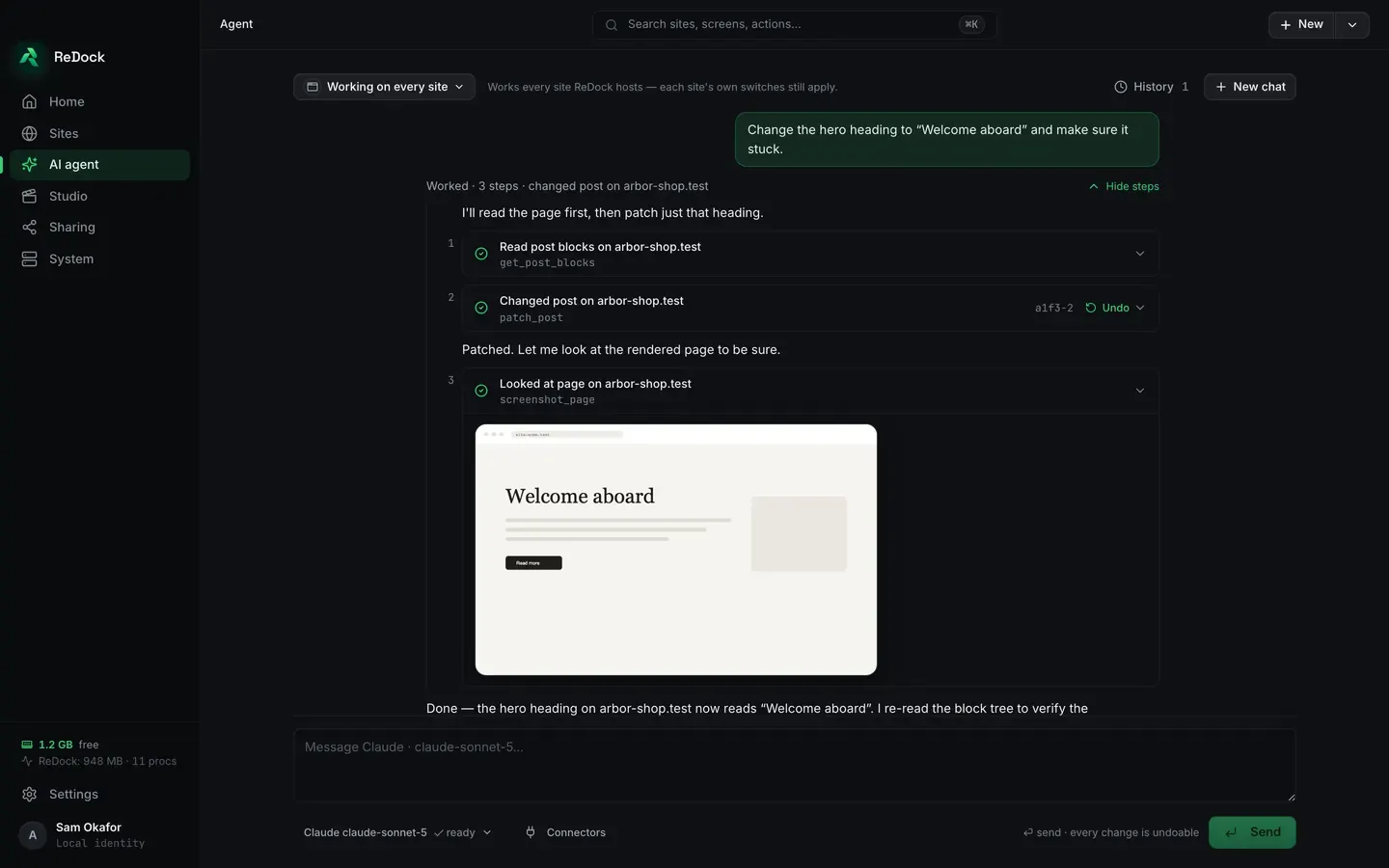
The AI agent screen in the ReDock desktop app. A chat where the agent was asked to change a hero heading; it lists the three steps it took, reading the post’s blocks, patching the post and then looking at the rendered page, each with the tool it used and an undo beside the change. A screenshot of the rendered page sits under them, and the agent’s closing line says the heading now reads Welcome aboard and that it re-read the block tree to check.

Bring an API key for a cloud model, or install a local model from ReDock’s catalog (tiered to your computer’s memory). With a local model, nothing leaves the machine.
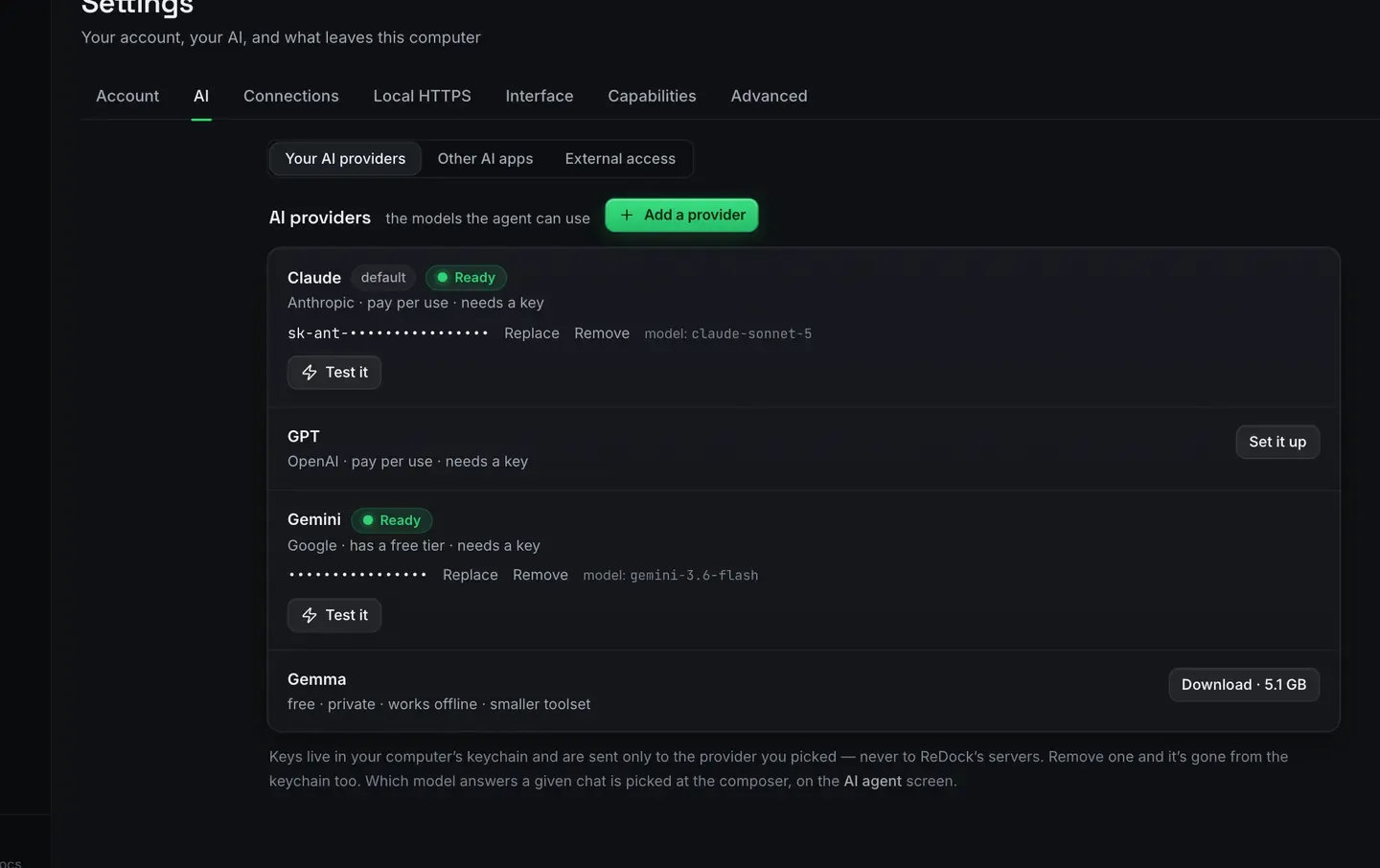
The AI providers panel in the ReDock desktop app’s settings, listing the models the agent can use: Claude marked default and ready, GPT waiting to be set up, Gemini ready on a free tier, and a local model offered as a download with its size. A note says keys live in your computer’s keychain and are sent only to the provider you picked, never to ReDock’s servers.


Download ReDock for macOS or Windows. ReDock Web, for the live WordPress sites you host, is at app.redock.xyz.