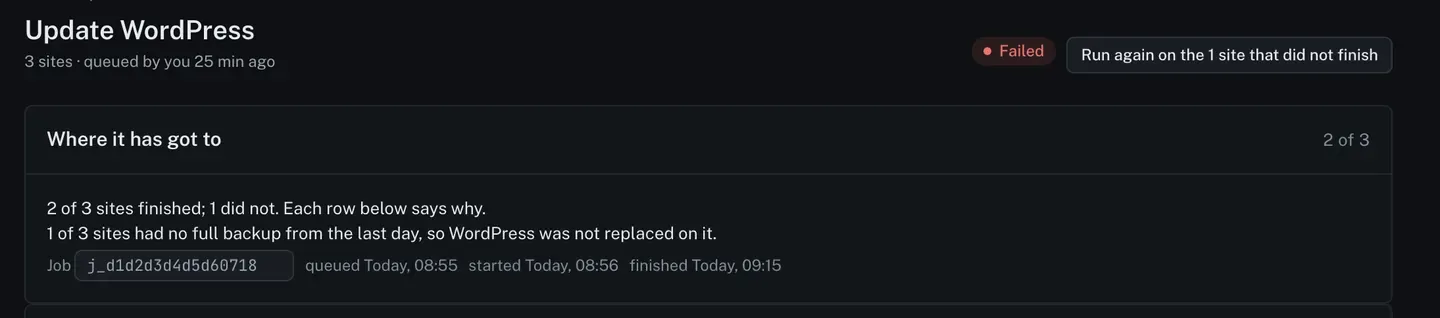
Update WordPress core
Updating WordPress itself is not the same shape of job as updating a plugin. A plugin can be swapped back in seconds. WordPress cannot, and its way back is the full archive the site built before the update.
That archive comes from the daily copy to Google Drive. Once a Drive is connected, ReDock asks each connected site every day to build a full archive of its files and its database and copies it into your own Drive, and the site keeps a record of when it last finished one. The rule below reads that record. Back up every site to Google Drive explains the copies.
So the rule is blunt: ReDock will not update WordPress on a site whose last full backup is more than 24 hours old. That site is refused, and the refusal is a line on the job rather than a failure of it.
Queue one
Section titled “Queue one”-
On Jobs, choose the WordPress update action and tick the sites.
-
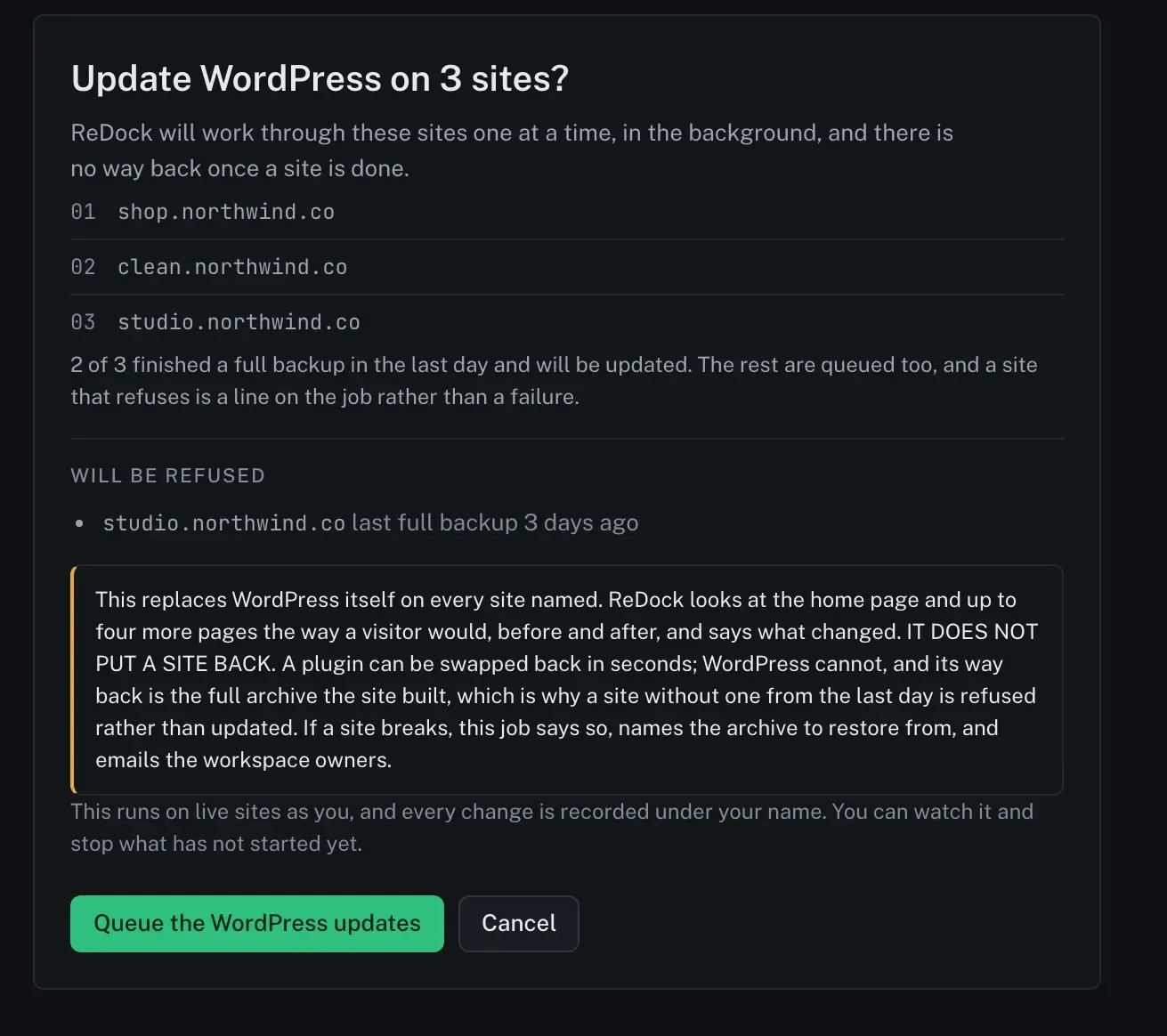
Read the confirm page. It names every site, says which of them have an archive fresh enough, and lists by name the ones that will be refused.
-
Press Queue the WordPress updates. ReDock works through the sites one at a time, in the background. You can watch it and stop what has not started yet.
What the job records
Section titled “What the job records”Each site goes through check before, the update, check after and a verdict, and the job shows what a visitor would have seen on either side of it.
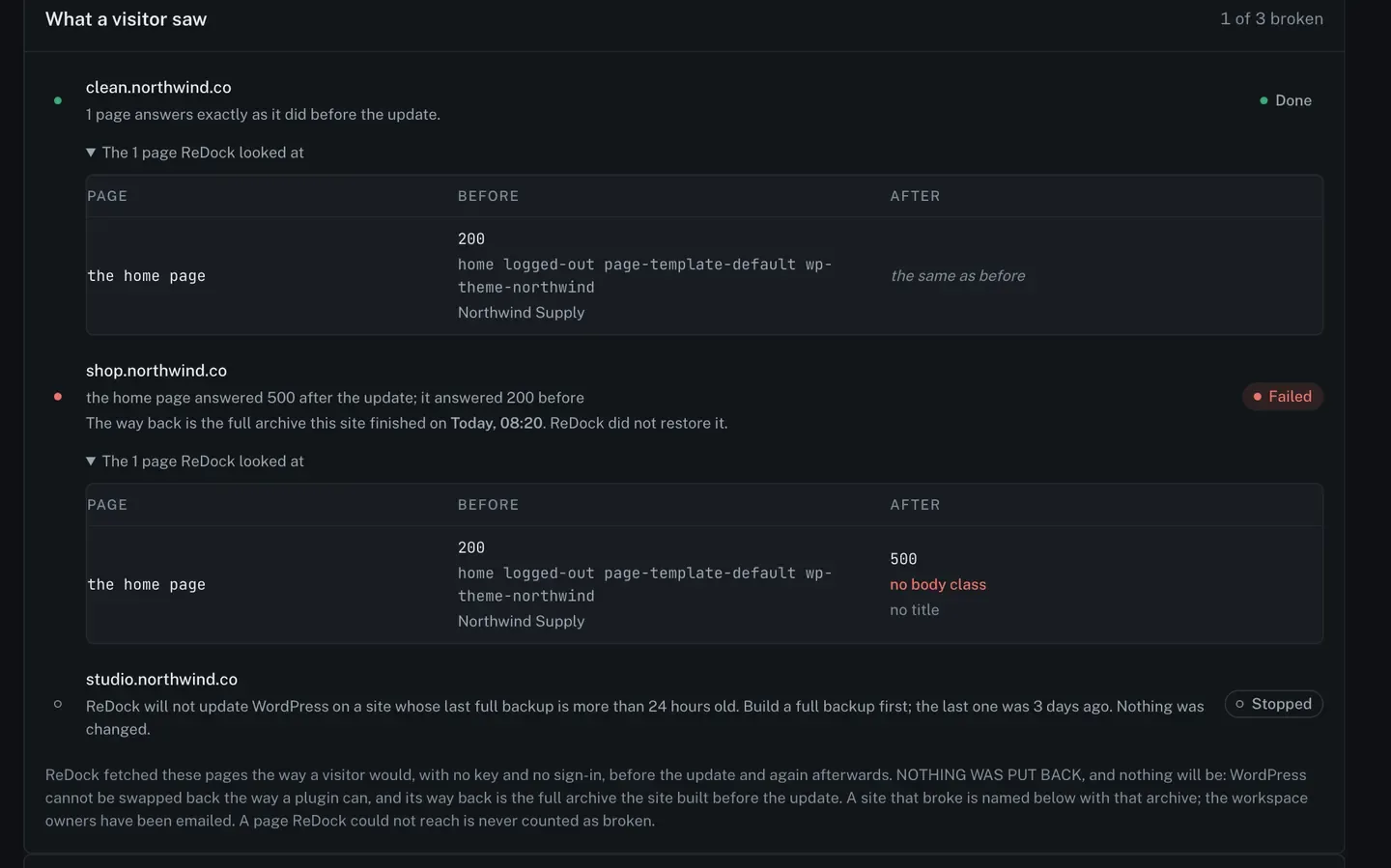
The tables under each site show the page, what it answered before, and what it answered after, so “it broke” is a reading rather than a feeling.
Nothing is put back
Section titled “Nothing is put back”There is no unattended restore for a core update, on one site or across many.
If a site breaks, the job says so, names the archive to restore from, and emails the workspace owners. Putting the site back is then somebody’s decision, made with the archive in front of them.
A page ReDock could not reach is never counted as broken.
Afterwards
Section titled “Afterwards”Run again on the sites that did not finish queues a fresh job for those alone, which is what you want once the site that was refused has a fresh archive. With Google Drive connected, the next daily copy makes one. If that copy fails, the Google Drive section of Settings says why, under the site’s row.