
Who changed what
Activity is every change made to your sites through ReDock Web. A person, a job and an AI app read the same way on it, because when a client asks who changed the front page the honest answer has to be able to be any of the three.
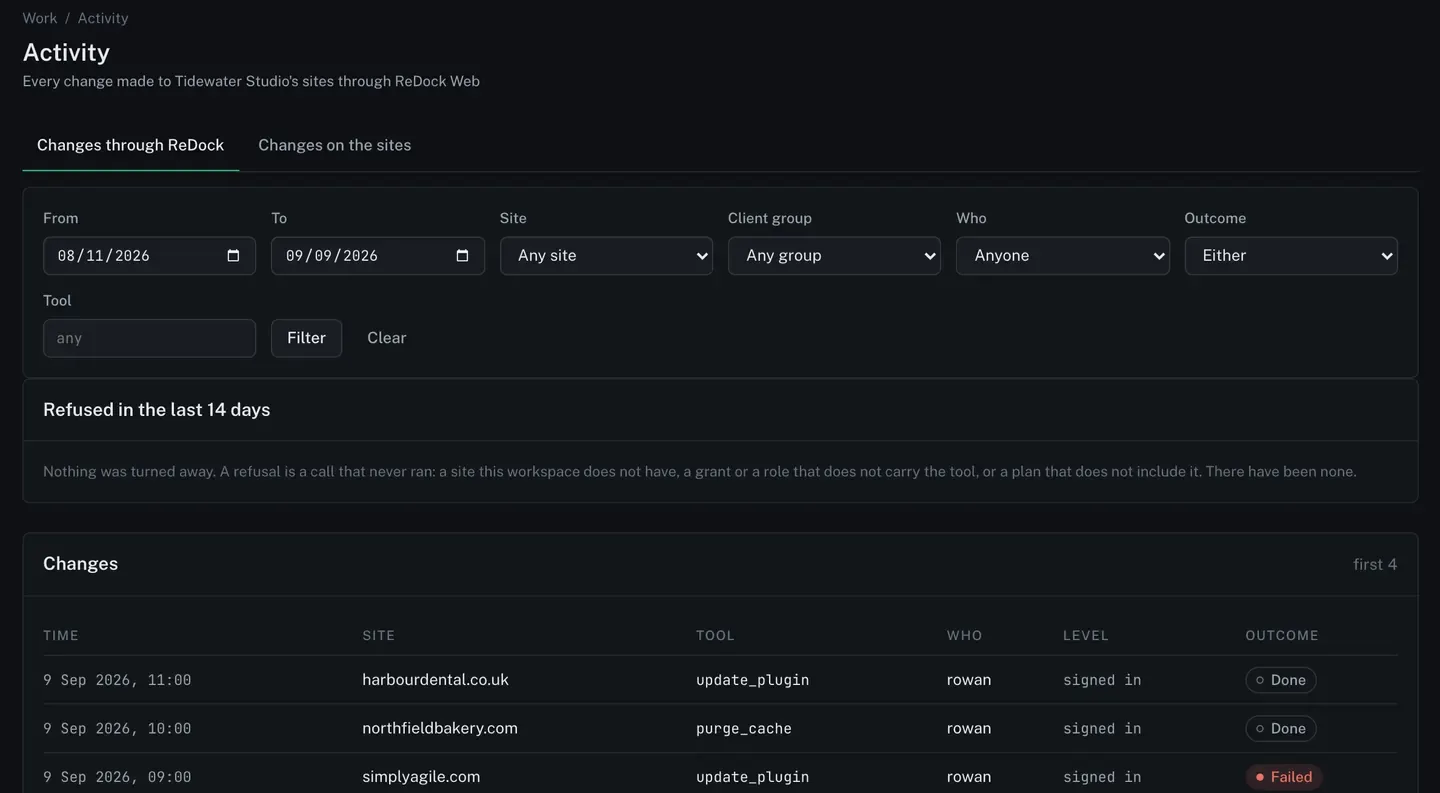
The two tabs
Section titled “The two tabs”Changes through ReDock is what your workspace did: a person pressing a button, a job running, an AI app calling a tool.
Changes on the sites is what the sites’ own people did in wp-admin, counted by each site itself and collected by the scheduled checks.
Each row names the time, the site, the tool, who did it, the level the call ran at, and how it ended. An app that has since been disconnected is still named on the rows it made.
Reads are not recorded. Changes are.
Refusals
Section titled “Refusals”The calls a wall stopped are on the same page, with the code and how many times. A refused call never reached the site, so it changed nothing. It is still worth seeing: a token asking four times in an afternoon for something it does not carry is the sort of thing you want to notice before your client does.
A refusal names what was asked, never the credential that asked it.
Filtering and downloading
Section titled “Filtering and downloading”Filter by date range, site, client group, person, outcome and tool. A download carries at most 10,000 rows for the dates you picked, newest first, as CSV or JSON. The same rows appear in the monthly report.
How long records are kept
Section titled “How long records are kept”The workspace sets it, under Settings → Data, up to 400 days. See Retention, export and deletion.
These records name people: the ReDock account behind every change, the site it was made on, and what was asked for. Only this workspace’s members can read them, and nobody outside it can.