
Update plugins safely
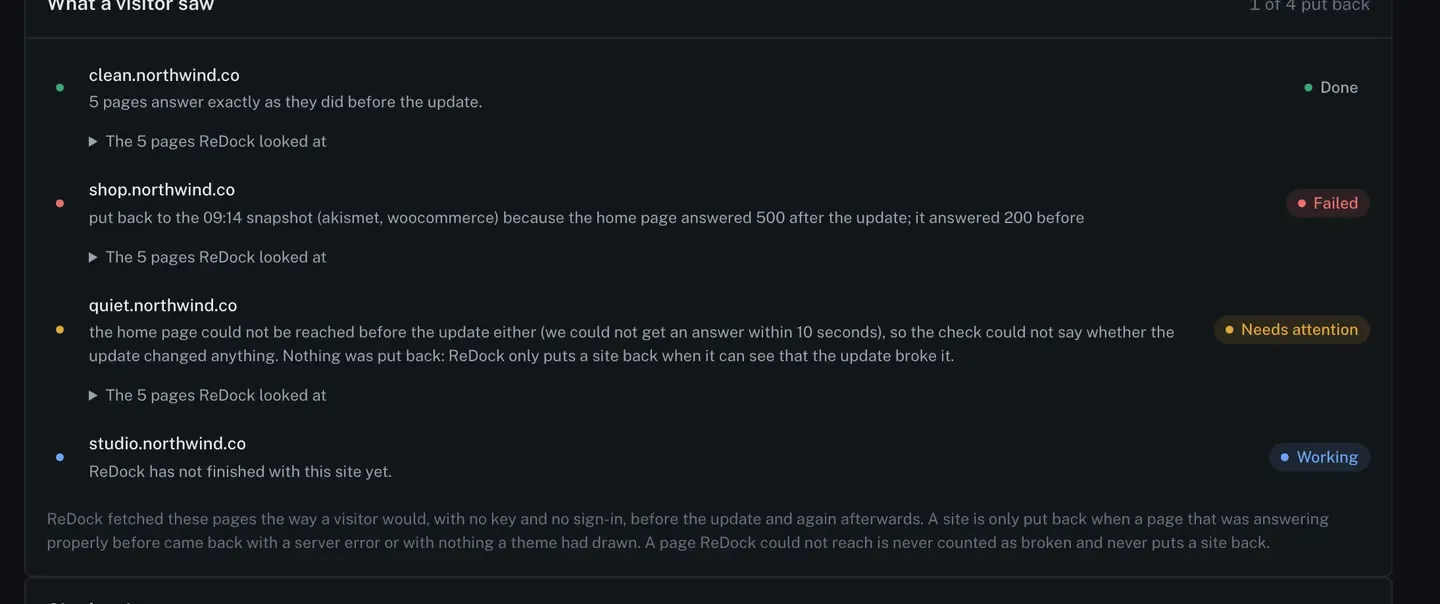
An ordinary plugin update takes a snapshot and updates. A safe update does that and then checks its own work: it fetches pages the way a visitor would, with no key and no sign-in, before the update and again afterwards, and compares the two.
If a page that was answering properly comes back with a server error, or with nothing a theme had drawn, the site is put back from the snapshot taken minutes earlier.
Queue one
Section titled “Queue one”-
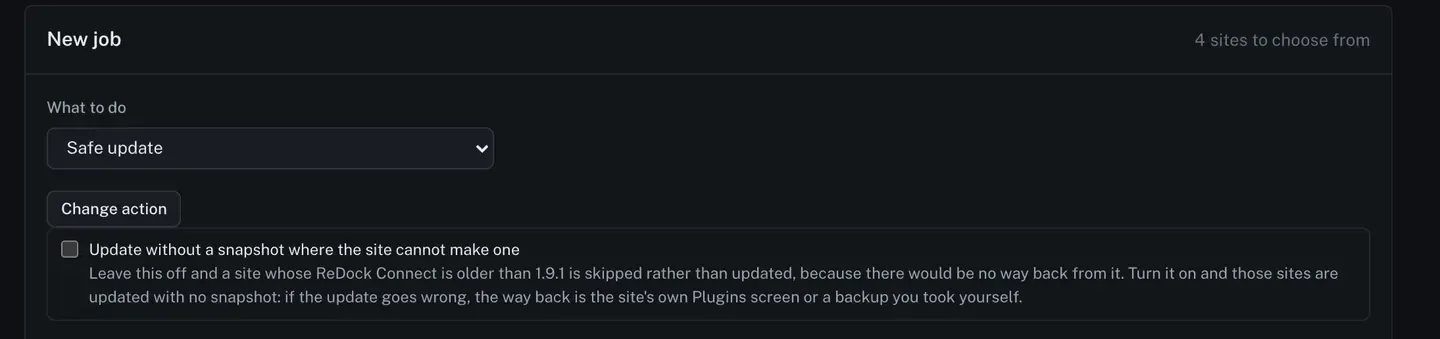
On Jobs, set What to do to Safe update.
-
Leave Update without a snapshot where the site cannot make one switched off. With it off, a site whose ReDock Connect is too old to take a snapshot is skipped rather than updated, because there would be no way back from it.
-
Tick the sites and press Review the job, then queue it.
What the job does per site
Section titled “What the job does per site”Each site goes through the same six steps, and every one of them is a row you can read.
| Step | What happens |
|---|---|
| Snapshot | a copy of each plugin about to be updated, taken on the site |
| Check before | ReDock fetches a handful of pages as a visitor and records what came back |
| Update | the plugins the site says have an update waiting, at the moment the step runs |
| Check after | the same pages, fetched the same way |
| Verdict | the two readings, compared, in a sentence |
| Way back | the restore, if the verdict says the update broke the site |
What it will not do
Section titled “What it will not do”ReDock only puts a site back when it can see that the update broke it. Two cases where it does nothing on purpose:
- The page could not be reached before the update either. The check has nothing to compare against, so it says so and leaves the site alone. Guessing here would be worse than admitting it.
- A page ReDock could not reach at all is never counted as broken.
A safe update is about the pages a visitor sees. Its snapshot holds the plugins it updated and nothing else, so your database and uploads are not in it. See Roll a plugin back for what the snapshot is and is not.
The full backup of each site, files and database, is a different thing: the daily copy ReDock makes into your own Google Drive. Back up every site to Google Drive covers it.
Reading the rows
Section titled “Reading the rows”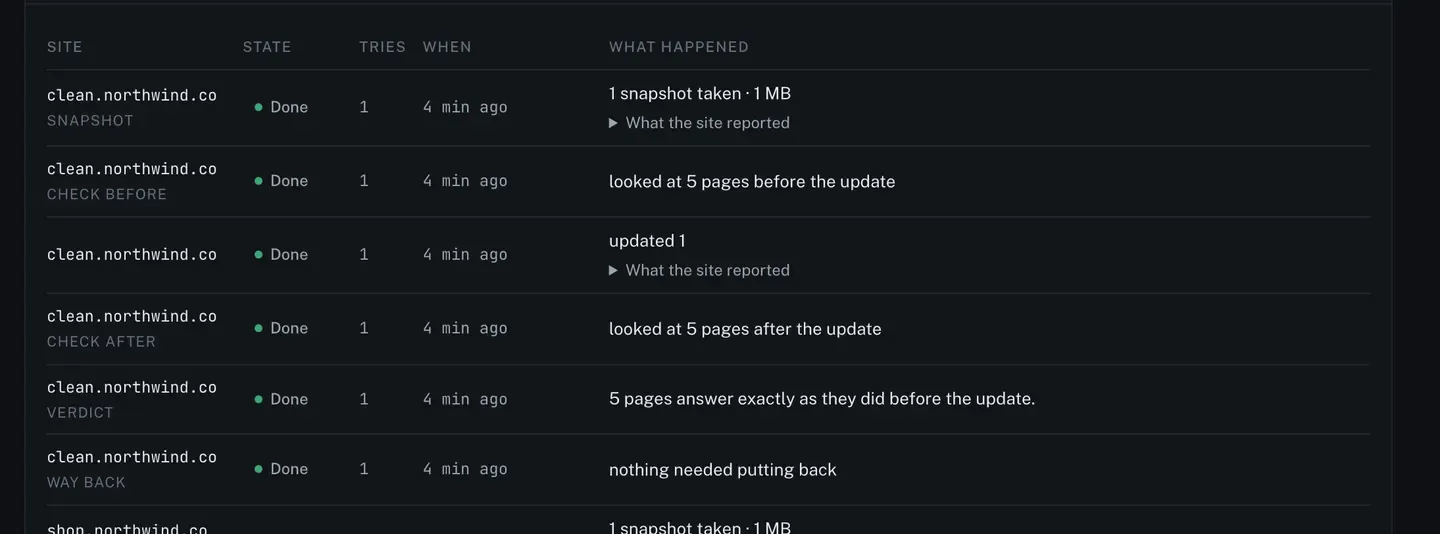
Every change the job makes is recorded on the site’s own page under your name, marked as made by a job.