
Skip to content

Databases

WordPress sites get a MySQL database automatically. You can browse tables, run queries, and export from the app, no terminal client needed.
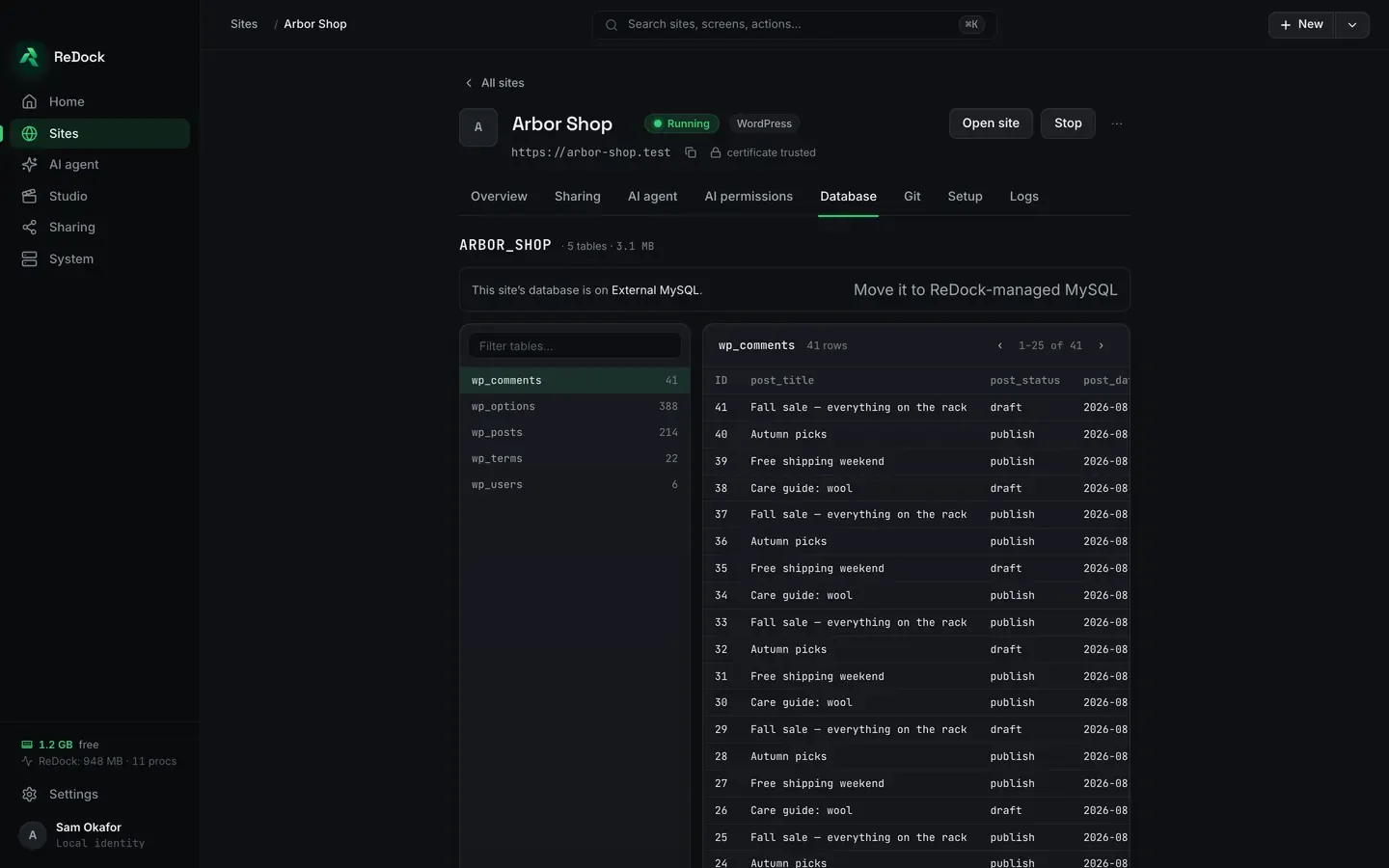
The Database tab of a site in the ReDock desktop app. A list of the site’s tables with their row counts on the left, and the rows of the selected table on the right with their columns, paged twenty at a time.

Databases live with the dock’s MySQL service and are removed with the site (with a confirmation gate: deletes are always explicit in ReDock).
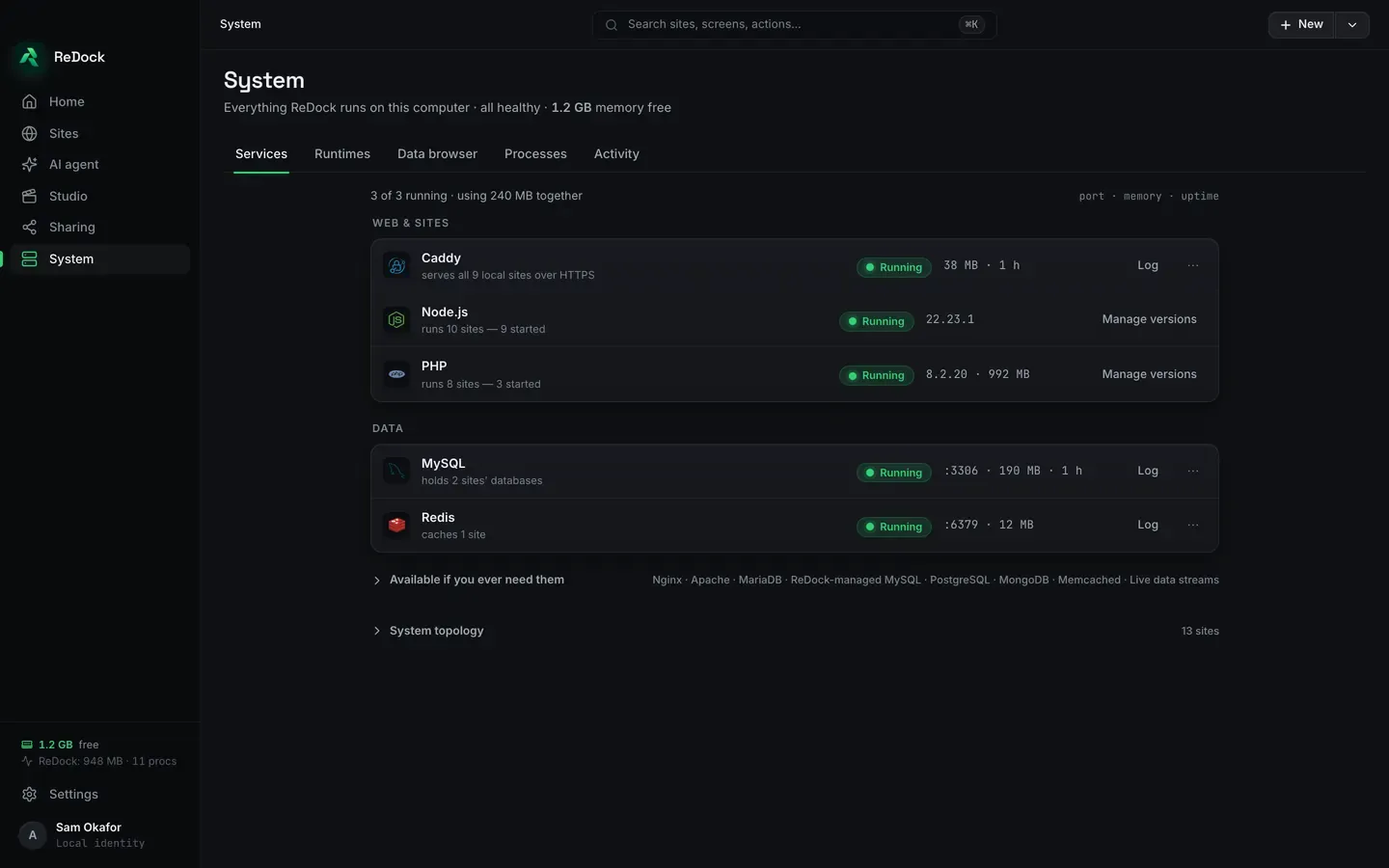
The System screen’s Services tab, listing what ReDock runs on this computer: Caddy serving the .test sites over HTTPS, Node.js and PHP with the versions in use, and under Data, MySQL holding the sites’ databases and Redis, each with its memory use, uptime and a link to its log.


Download ReDock for macOS or Windows. ReDock Web, for the live WordPress sites you host, is at app.redock.xyz.