
Run a job across many sites
A job is one piece of work aimed at one site, a client group, or every site in the workspace. One job covers up to 100 sites, and ReDock Web runs one job per site at a time, so a site is never being changed by two of your jobs at once.
What you can queue
Section titled “What you can queue”| Job | What it does |
|---|---|
| Update every plugin | everything with an update waiting, asked of the site as the step runs |
| Update one plugin | one slug, on every site named |
| Install a plugin | one slug, from the WordPress directory |
| Switch a plugin on | activates it for every visitor of every site named |
| Switch a plugin off | deactivates it, and whatever it was doing stops |
| Switch the theme | changes the whole face of every site named |
| Refresh the caches | flushes the object cache and rebuilds rewrite rules |
| Run a scheduled event | on the plans that carry automation |
Safe updates, which look at the site before and after, and WordPress core updates, which will not run without a fresh archive, are jobs too. Each has a page here because each has rules the others do not.
Queue one
Section titled “Queue one”-
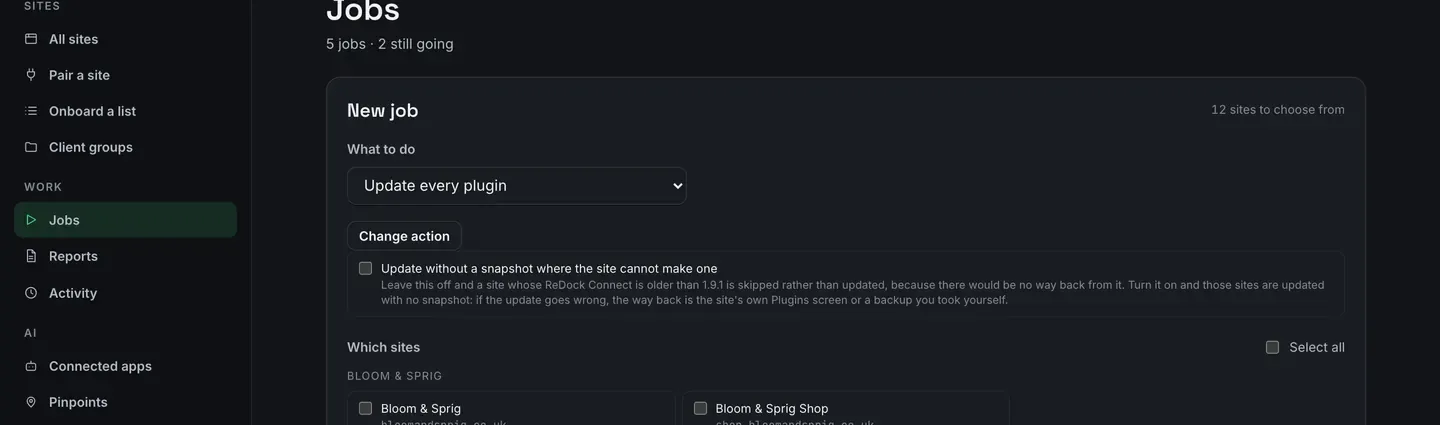
Open Jobs and pick the action under What to do. Press Change action if you want a different one.
-
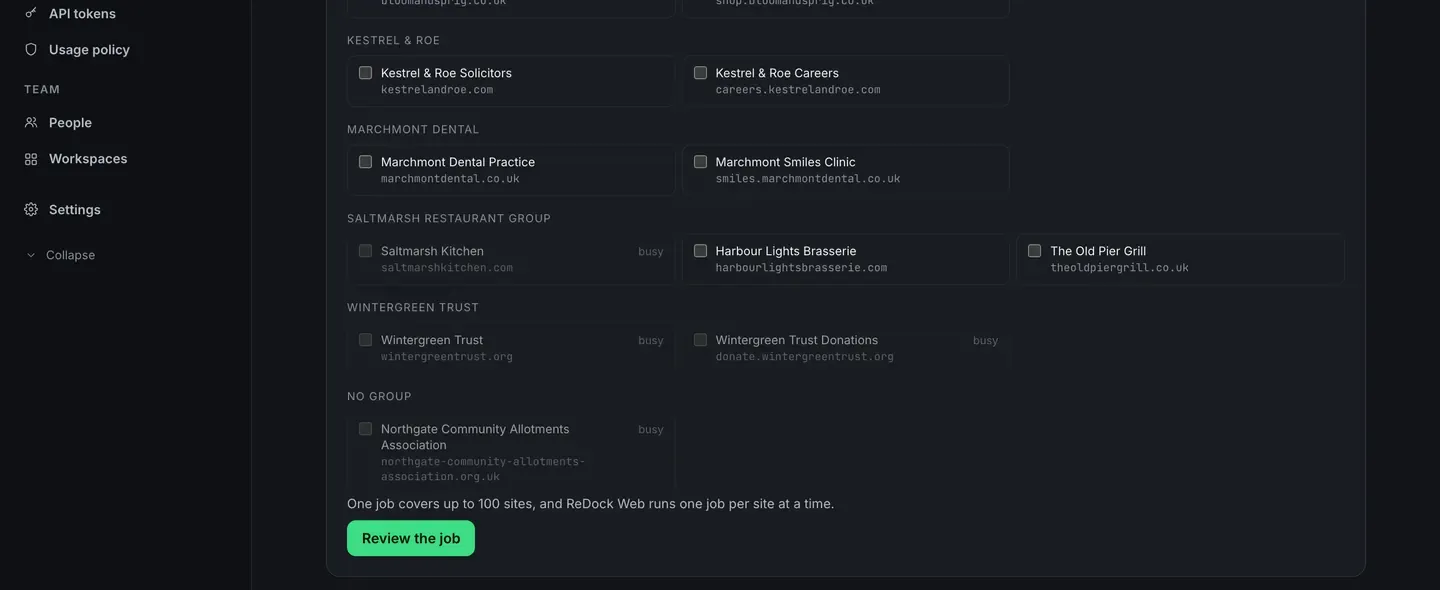
Tick the sites. They are grouped by client group, so pointing a job at a whole customer is one pass down a column. A site that is already busy with another job says busy and cannot be ticked.
-
Press Review the job. The confirm page says in one sentence what changes for every visitor of every site named. Nothing has been asked of any site yet.
-
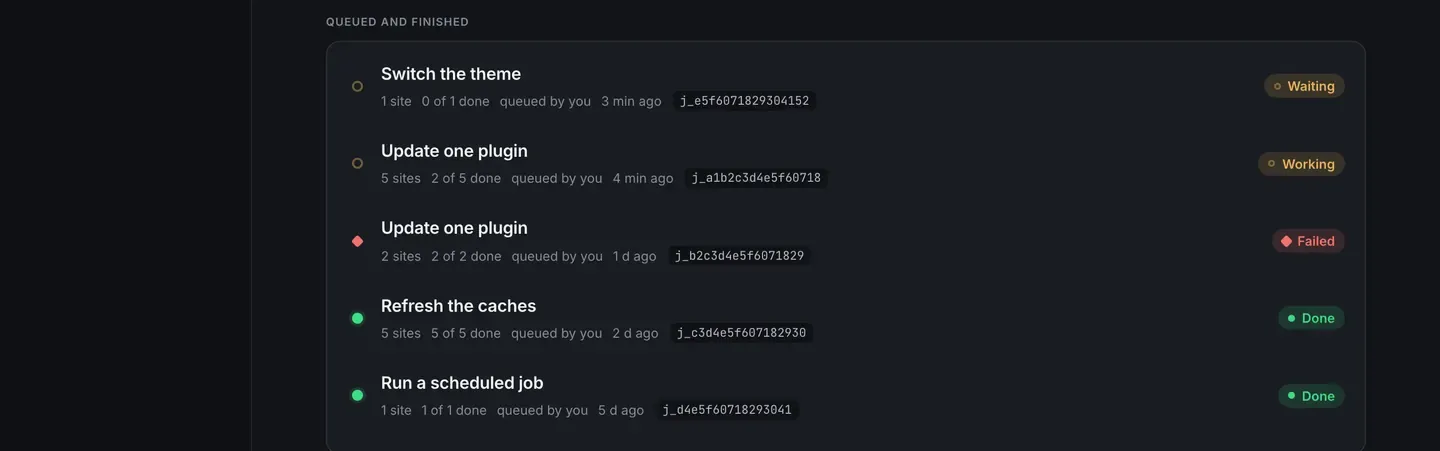
Queue it. The job appears under Queued and finished with its state, how many sites are done, who queued it and when.
While it runs
Section titled “While it runs”Open the job and every site has a row of its own: the state, how many tries it took, when, and what the site actually said.
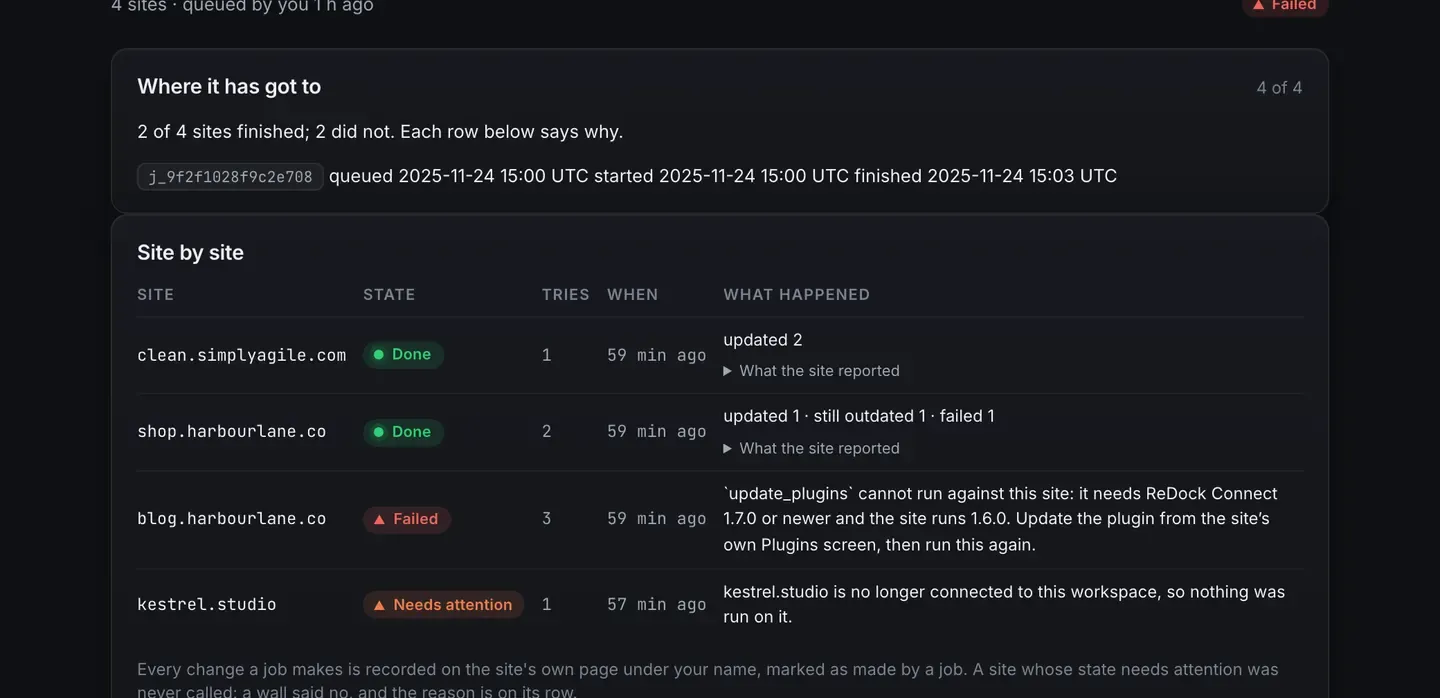
The page refreshes itself every few seconds, pauses while the tab is hidden, and gives up after thirty minutes rather than polling an empty room.
- Cancel stops what has not started. Sites that are already done stay done, and nothing half-runs.
- A site whose state needs attention is never called at all, and the reason is on its row.
- A site that does not have the plugin the job names says so, and the job carries on.
- The queue will not switch off the plugin the job arrived through.
Retry the failures
Section titled “Retry the failures”Retry queues a new job for the failed sites alone. It is a job like any other: same queue, same rows, its own reference.
Where a job shows up afterwards
Section titled “Where a job shows up afterwards”Every change a job makes lands on the site’s own page under your name, marked as made by a job, and on Activity with the same wording a person’s change gets. When a client asks who updated something, a job is one of the answers that has to be sayable.