
Retention, export and deletion
Settings → Data holds three dials, a download, and a way to erase one site’s history.
The three dials
Section titled “The three dials”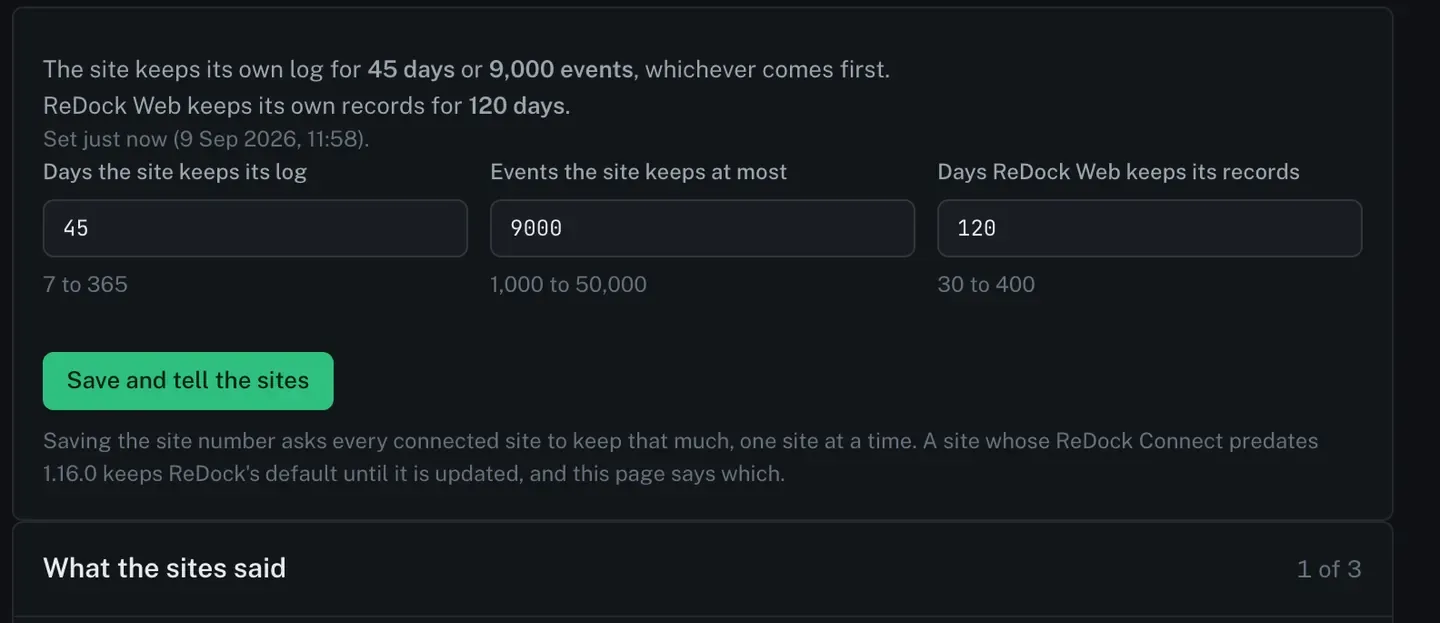
| Dial | What it sets | Range |
|---|---|---|
| Days the site keeps its log | how long the site’s own record lives, on the site | 7 to 365 |
| Events the site keeps at most | the ceiling, whichever comes first | 1,000 to 50,000 |
| Days ReDock Web keeps its records | how long Activity lives here | 30 to 400 |
The first two are the site’s, and saving them asks every connected site to keep the new numbers, one site at a time.
What each site said
Section titled “What each site said”Because the numbers travel to the sites, the page shows what each one answered.
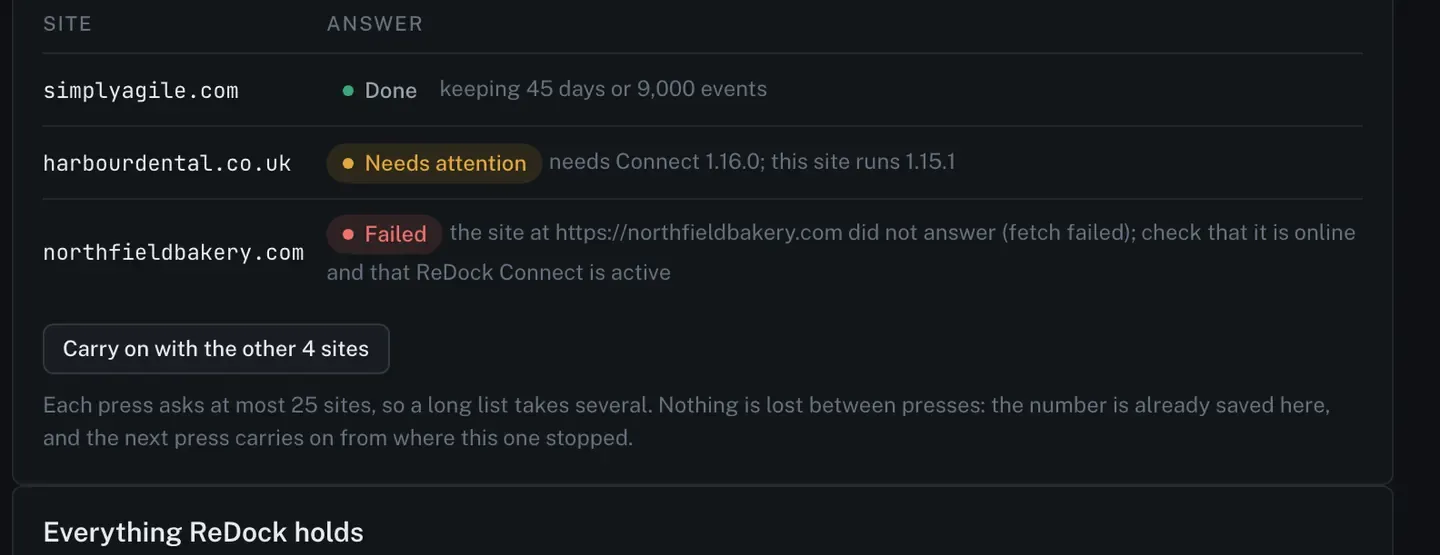
Each press asks at most 25 sites, so a long list takes several. Nothing is lost between presses: the number is already saved here, and the next press carries on from where the last one stopped.
A site whose ReDock Connect predates the version that carries this setting keeps ReDock’s default until it is updated, and the page says which sites those are.
Download everything
Section titled “Download everything”Download everything gives you one JSON file, in the order a person would read it: the workspace, its sites and client groups, the people in it and their roles, the invitations still open, the whole audit trail newest first, the daily counts per site, the jobs and their steps, the report and branding settings, the AI policy, and these dials.

It carries no keys and no secrets. A site’s wrapped signing key, an API token’s hash and an invitation’s token are named as things that exist and never printed.
Downloading is recorded in the activity trail as workspace.export, so the workspace can see when
a copy was taken and by whom.
Erase one site’s history
Section titled “Erase one site’s history”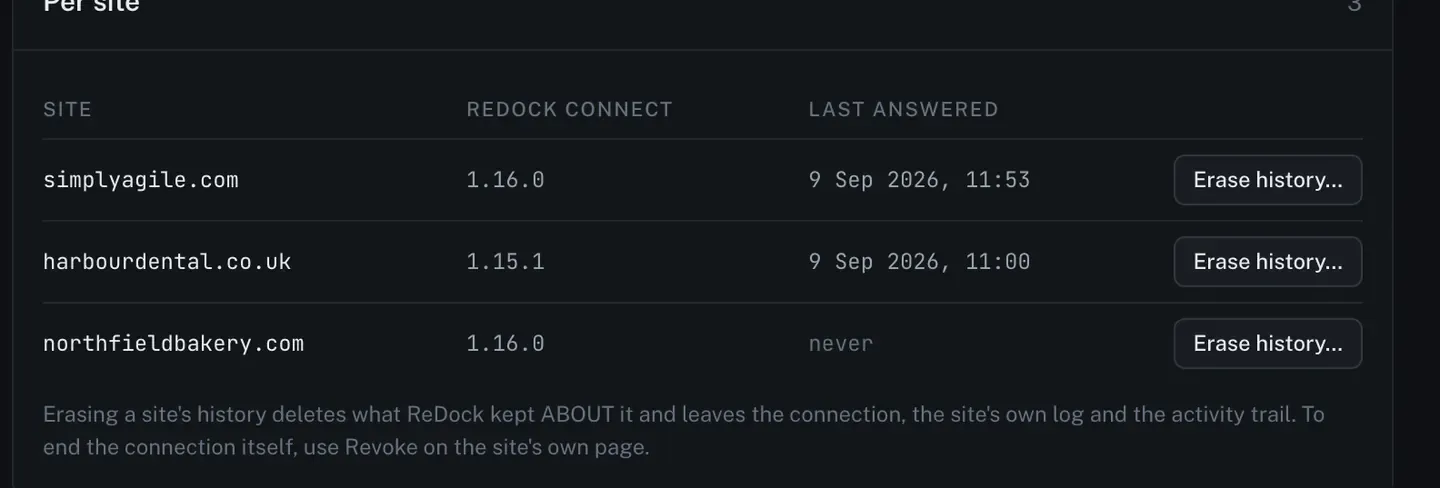
Erasing a site’s history deletes what ReDock kept about it. It leaves three things alone: the connection, the site’s own log, and the activity trail.
To end the connection itself, use Revoke on the site’s own page, or revoke the key from the site’s wp-admin. See Connect a site.
Closing the account
Section titled “Closing the account”Deleting your ReDock account is on Your account, and the confirm page lists what happens before anything does. See Look after a site’s security.