
The MCP surface
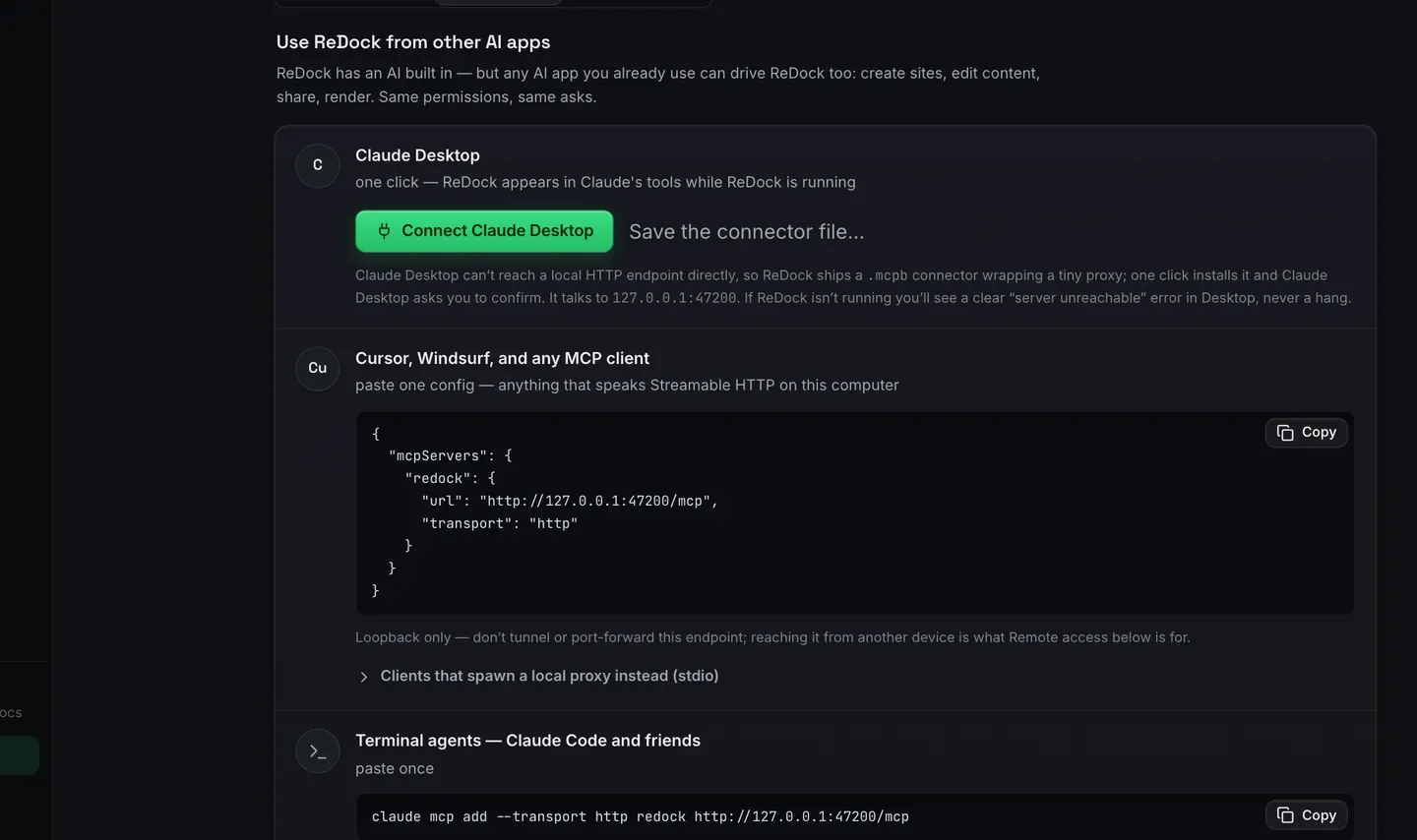
ReDock runs an MCP server on localhost:47200. Point Claude Desktop, Claude Code, Cursor, or any
MCP client at it and the whole dock becomes tool calls:
- Sites: create, start, stop, delete, query status
- WordPress: author with blocks and patterns, manage plugins, magic login
- Ship: share, claim subdomains, deploy, attach domains
- System: services, runtimes, databases, logs
Results carry verified state: the same honest-status guarantee the UI has. An agent cannot be told
a site is Running unless it is.
ReDock Web serves a second MCP door at https://app.redock.xyz/mcp, for the live WordPress sites
you connected to a workspace. Same protocol, same clients, different sites. See Let an AI app work
on your sites.