
Find broken links on your sites with ReDock Web
About once a week ReDock walks each connected site the way a visitor would. It reads the pages and follows the links, then lists every link that answered with an error, with the page it was found on, so you can fix it before your client’s customers run into it.
Nothing needs setting up. The walk is an ordinary visit to the public site, so it works whether or not the site has ReDock Connect on it.
Read the list
Section titled “Read the list”-
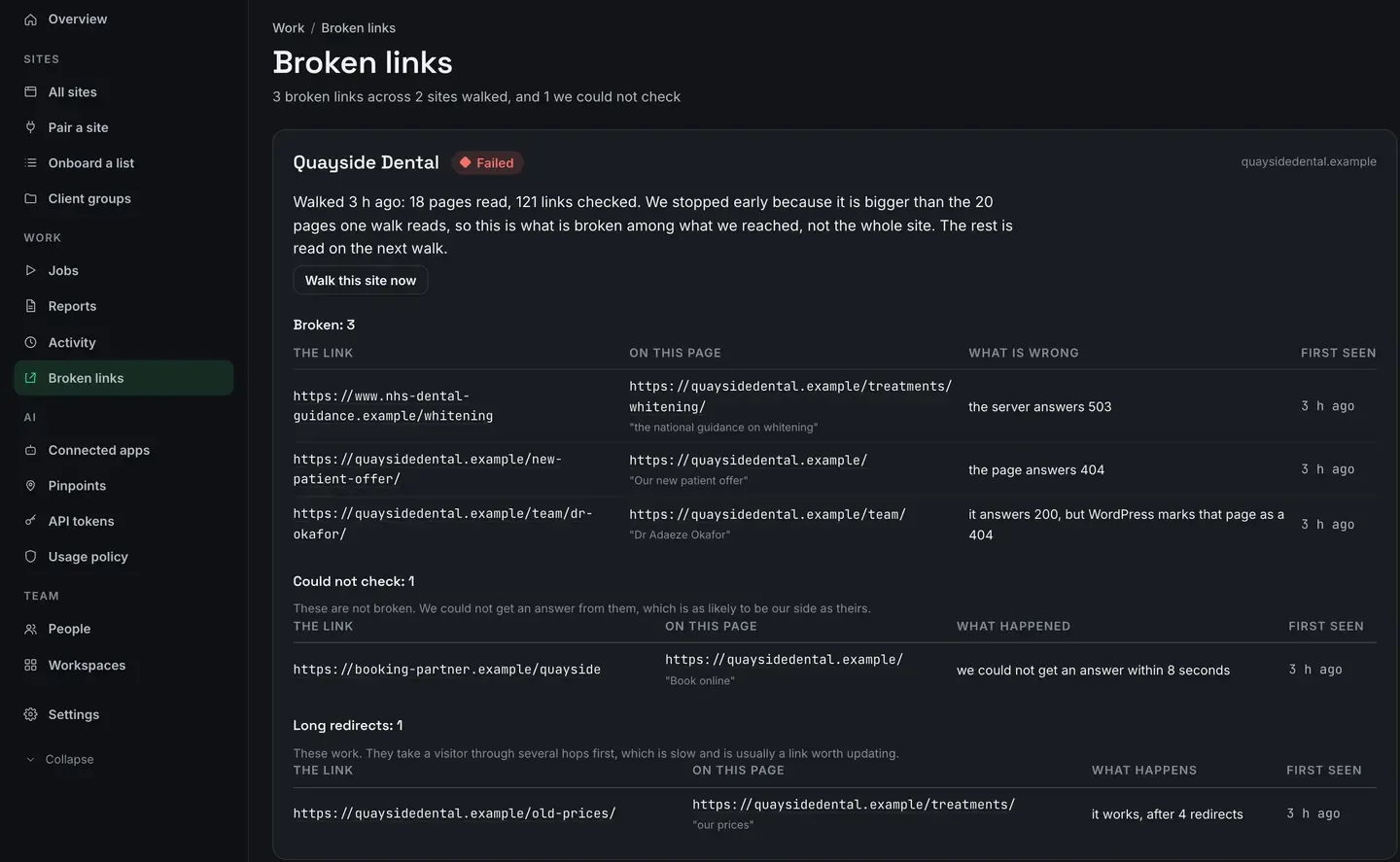
Open Broken links, under Work in the sidebar. The line under the heading adds up the broken links across the sites walked, and the ones ReDock could not check.
-
Read a site’s card. It says when the site was walked and how much of it was read, then lists what was found under up to three headings.
- Broken: the link, the page it is on with the link’s own words under it, what is wrong, and when it was first seen.
- Could not check: links that gave no answer. They are not broken and never counted as broken, because the cause is as likely to be on ReDock’s side as the site’s.
- Long redirects: links that work after four or more hops, which is slow for a visitor and usually worth updating.
A broken link keeps the date it was first seen for as long as it stays broken, so you can tell a client how long it has been that way. The same dead link on four pages makes four rows, one for each place it needs fixing.
-
When a site has more findings than its card shows, See all opens that site’s own page, with every finding and a table of its last walks. ReDock keeps the last eight walks of each site.

-
Fix the link on the page it names. The next walk that reads that page and finds the link working takes it off the list.
Walk a site now
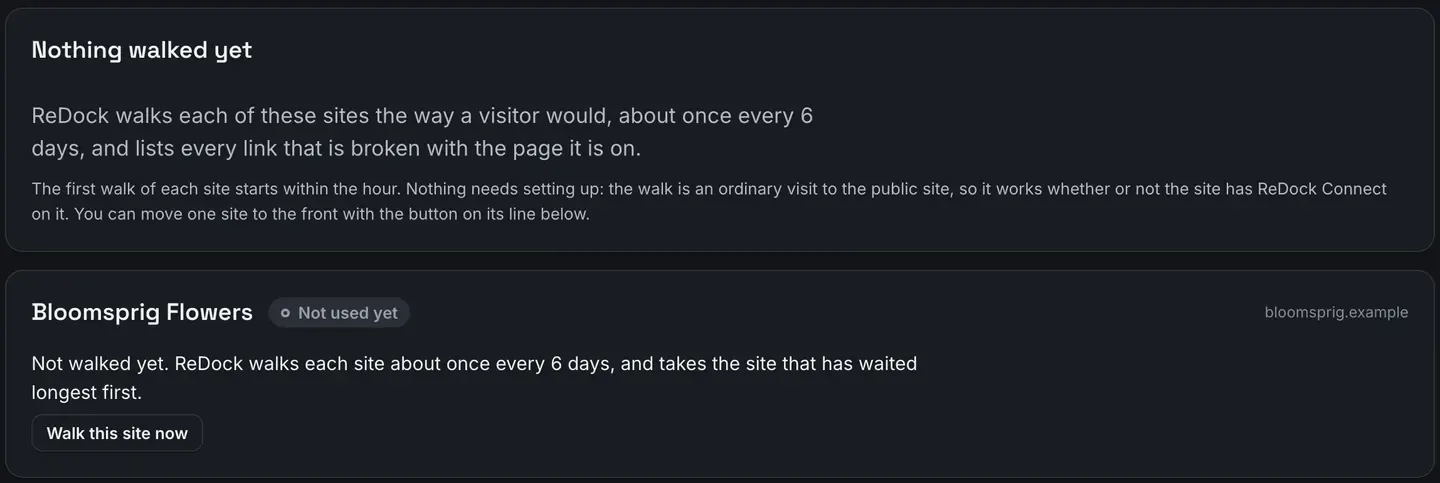
Section titled “Walk a site now”Walk this site now moves a site to the front of the queue, and its card then says the walk runs within the hour. A newly connected site gets its first walk within the hour anyway. After that each site waits its turn, about six days, and the one that has waited longest goes first.
What counts as broken
Section titled “What counts as broken”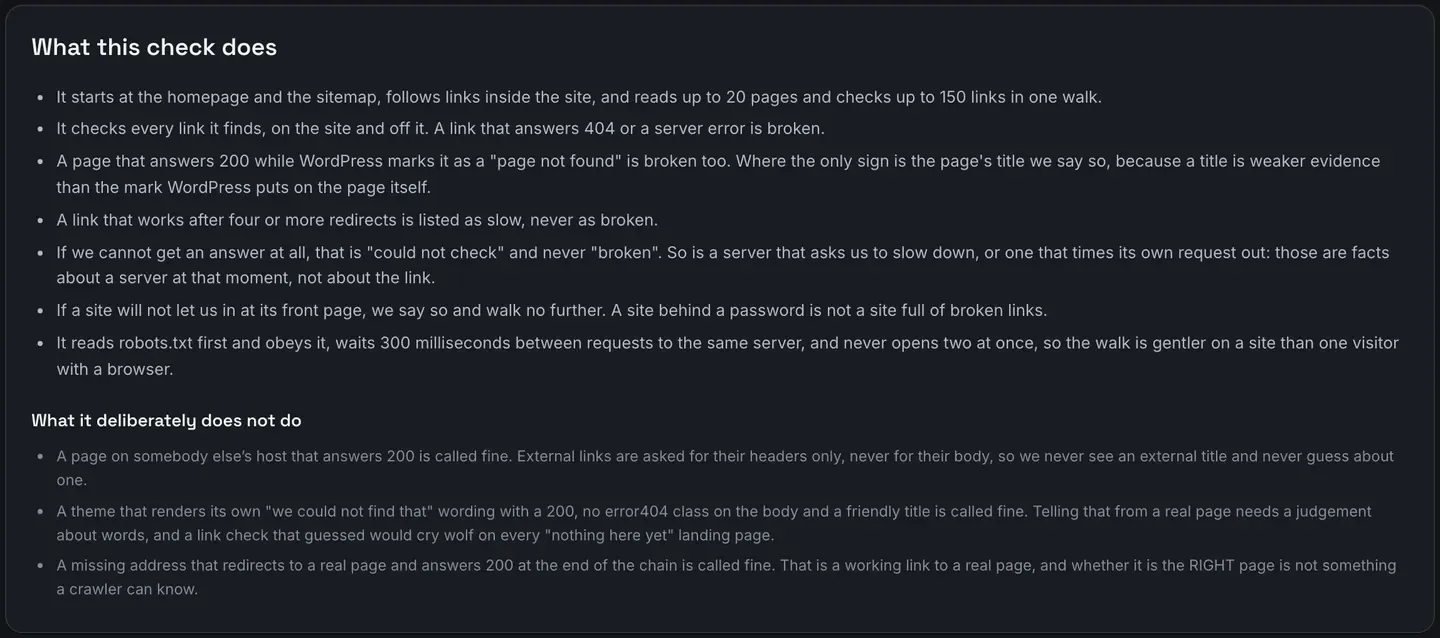
A link is broken when it answers 404 or a server error. So is a page on the site that answers 200 while WordPress itself marks it as page not found. If the only sign is the page’s title, the list says so and quotes the title, because a title is weaker evidence than WordPress’s own mark.
These are not counted:
- A link that gave no answer, a server that asked ReDock to slow down, or one that timed its own request out. They go under Could not check.
- A page on somebody else’s site that answers 200. ReDock asks other sites for their headers only, never for the page, so it never guesses from someone else’s content.
- A theme’s own friendly “not found” page that answers 200 without WordPress’s mark. Telling that apart from a real page would mean guessing at words.
- A missing address that redirects to a real page. Whether it is the right page is something no crawler can know.
When a walk stops early
Section titled “When a walk stops early”One walk reads up to 20 pages and checks up to 150 links. A bigger site is covered over several walks: its card says the walk stopped early, that the list is what was found among the pages it reached, and that the rest is read next time. A walk that stopped early never takes a link off the list, because it has not looked at the pages it did not reach.
When a site does not let ReDock in
Section titled “When a site does not let ReDock in”Its robots.txt asks crawlers to stay out. ReDock obeys, so there is nothing to report, and the
card says so and tells you how to let the check run: allow ReDock-LinkCheck in robots.txt. An
address robots.txt rules out is never fetched and never reported.

Its front page asks for a password, as a staging site or a firewall might. The walk stops at the front door and says so. A site behind a password is not reported as a site full of broken links.
How gentle the walk is
Section titled “How gentle the walk is”One request at a time, never two at once, with at least 300 milliseconds between requests to the
same server. When a site’s robots.txt asks for more room with Crawl-delay, it gets it. Links to
other sites are asked for their headers, not their pages.
If a hosting company asks what it is
Section titled “If a hosting company asks what it is”The checker names itself in every request as ReDock-LinkCheck, along with the address of a public
page, app.redock.xyz/crawler. That page says what the checker is,
what it fetches and how often, and how to stop it. Nobody needs an account to read it.
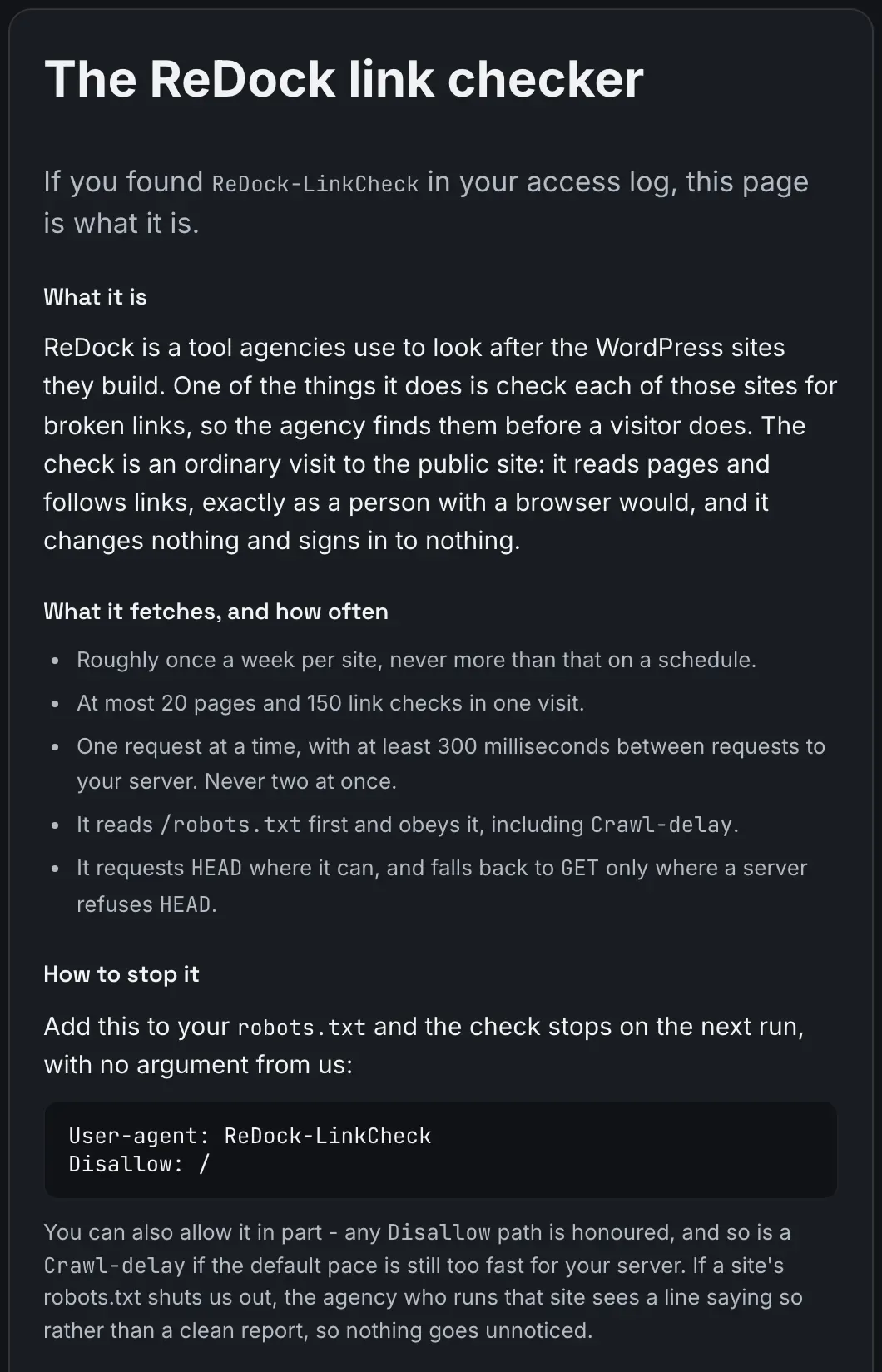
To stop the check on one site, add this to that site’s robots.txt:
User-agent: ReDock-LinkCheckDisallow: /It stops on the next run, and the card for that site then says its robots.txt asks crawlers not to read it.
Open ReDock Web, or create an account if you do not have one yet.