
Check mail delivery and page speed in ReDock Web
Mail and speed answers two questions about every connected site. Can its mail be delivered, or is something in its DNS sending the order emails to spam? And how long does its home page take to load on a phone?
About once a week ReDock reads each site’s mail records through public DNS and asks Google’s PageSpeed Insights to load the home page the way a phone would. Both checks happen from outside and ask the site itself for nothing. They work even while the site is down, and there is nothing to set up.
Read the page
Section titled “Read the page”-
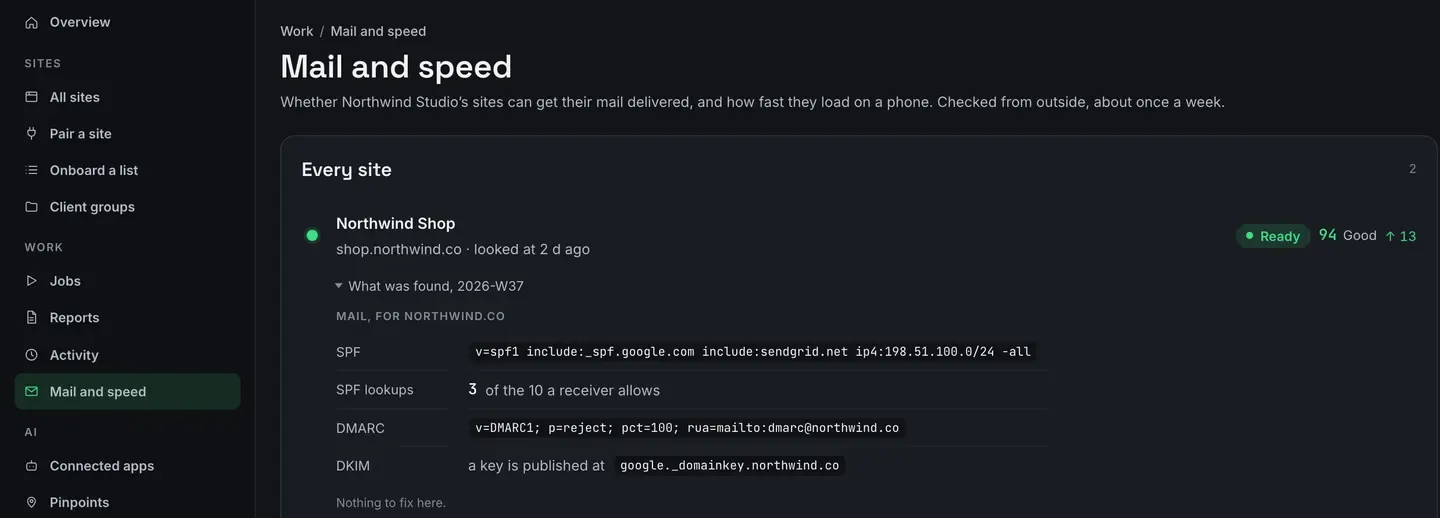
Open Mail and speed, under Work in the sidebar. Each site has a line with its state, its speed score, and how the score has moved since the week before.
-
Open What was found under a site. The mail records come first, for the domain named, then the speed readings.
-
Fix what it lists. Every problem comes with a sentence saying what it means and which record to add or change. Once you have changed the DNS, the next weekly look shows the result.
The mail records
Section titled “The mail records”| Record | What ReDock checks |
|---|---|
| SPF | that the domain publishes one, and how many DNS lookups it costs against the 10 a receiving server allows, counted through every include |
| DMARC | that the domain publishes one, and its policy. A subdomain with no record of its own is looked up one level higher, the way a receiving server does, and the page says which name answered |
| DKIM | whether a key is published at any of the 16 selector names ReDock knows |

An SPF record over ten lookups is the one that fools people. It looks correct, but past the limit a receiving server gives up on it and it protects nothing. ReDock follows every include to count, and if a chain is too long to follow to the end, the page says “at least” and warns that the real number may be higher.
A DKIM key that was not found is not proof that there is none. The selector name is chosen by
whatever sends the mail and only announced inside the messages. To be certain, open a message the
site sent, read the s= value in its DKIM-Signature header, and check that name.

The speed readings
Section titled “The speed readings”The score is Google’s PageSpeed Insights score for a phone, the number a client is most likely to have seen somewhere else, with Good, Needs work or Poor beside it. Three readings sit under it.
| Reading | What it measures |
|---|---|
| Largest Contentful Paint | how long a visitor waits before the biggest thing on the screen has appeared |
| Interaction to Next Paint | how long the page takes to respond after somebody taps or clicks |
| Cumulative Layout Shift | how much the page jumps about while it is still loading |
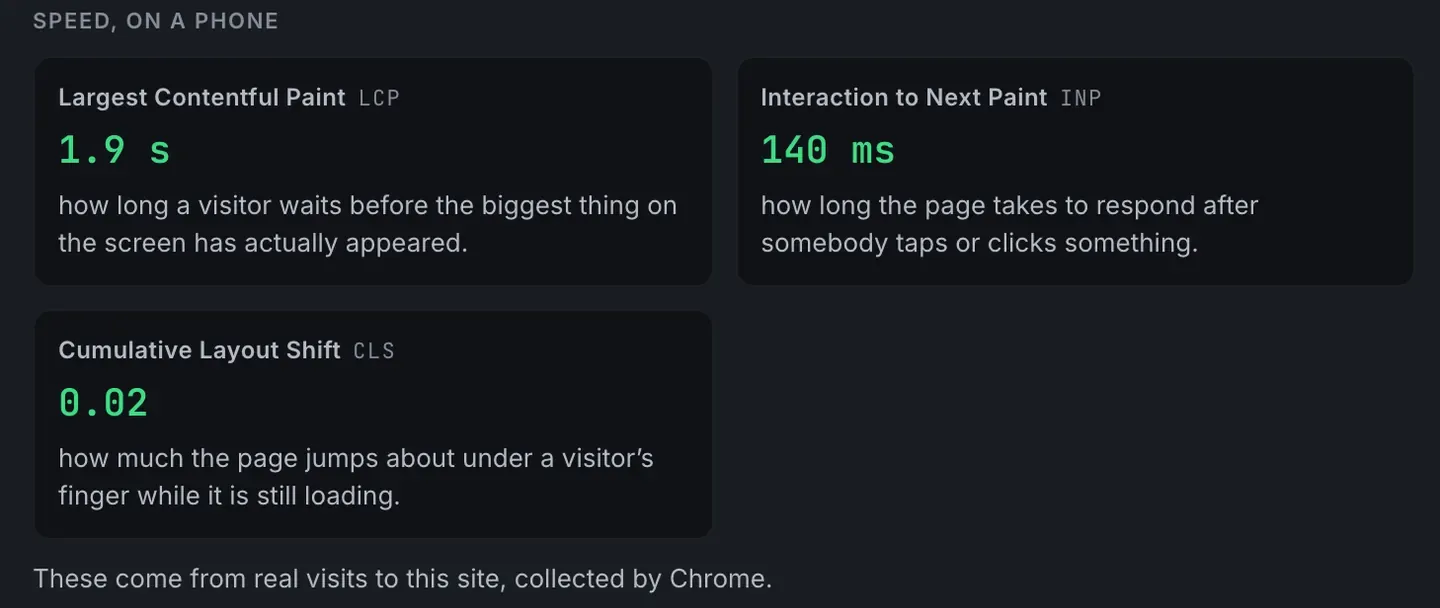
The line under the readings says where they came from. On a site with enough visitors, they are Google’s measurements of real visits in Chrome. On a quieter site, the first and last come from Google’s own test load of the page, and Interaction to Next Paint reads no reading, because it can only be measured from real visits. ReDock leaves that gap empty rather than filling it with a number from somewhere else.
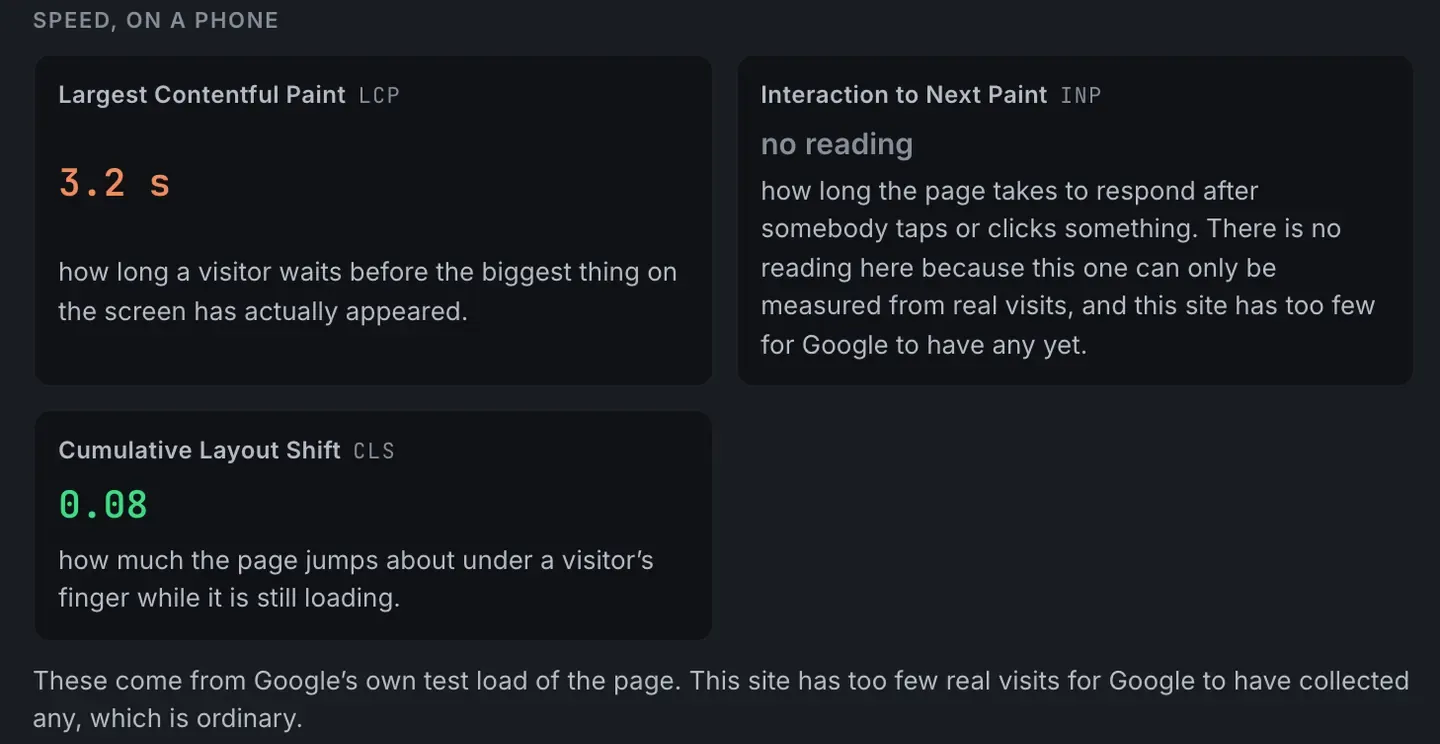
If the speed check could not run in a given week, the score reads not checked, never zero. The mail records are checked either way.
A site you just connected
Section titled “A site you just connected”A newly paired site shows Waiting until its first look, which comes on its own within five days. Nothing is needed from you or from the site.

Open ReDock Web, or create an account if you do not have one yet.