
Name a place on a site
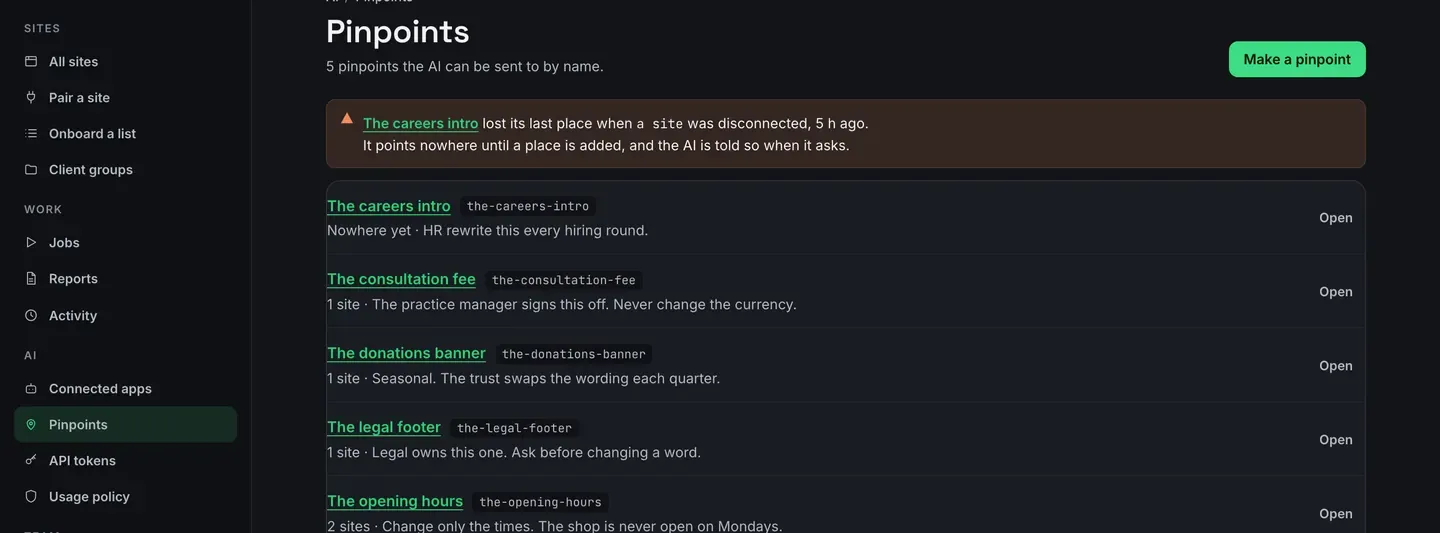
A pinpoint is a name, a label you read, a note you wrote, and the exact places it means. Say the name to your AI and it gets back the addresses and your sentences, then does a precise edit on each.
Make one
Section titled “Make one”-
Open Pinpoints and press Make a pinpoint.
-
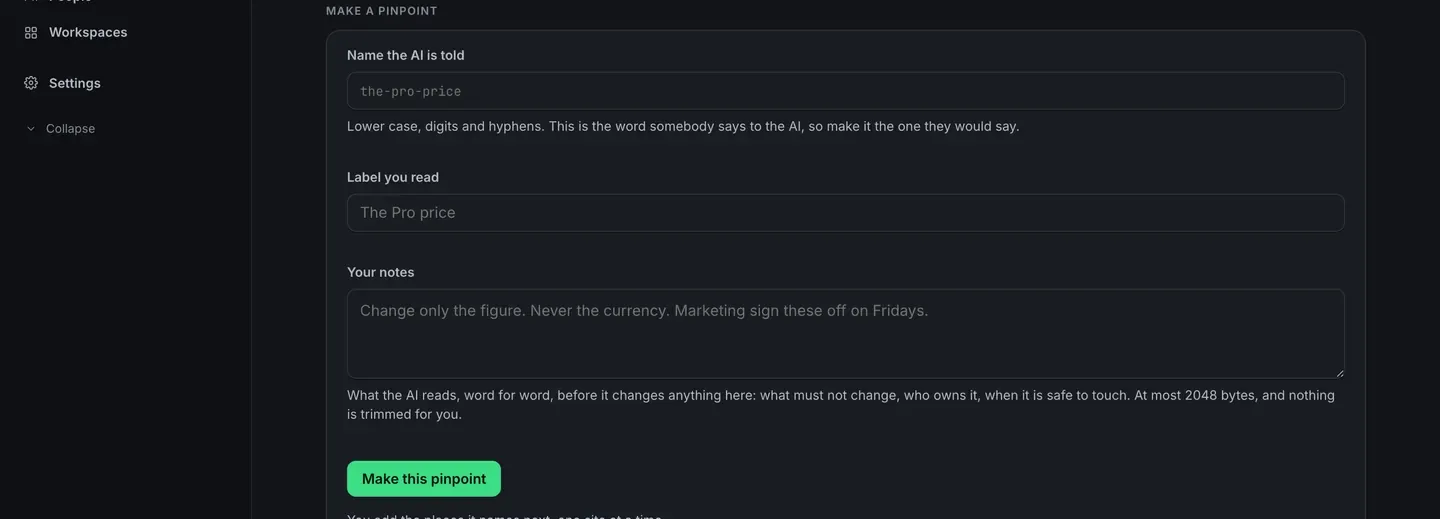
Give it the name the AI is told: lower case, digits and hyphens, and the word somebody would actually say.
the-pro-price, notpinpoint-7. -
Give it a label you read, then write your notes. The note is what the AI reads, word for word, before it changes anything there.
-
Add the places it names, one site at a time. Pick the site, pick the page, then point at the block.
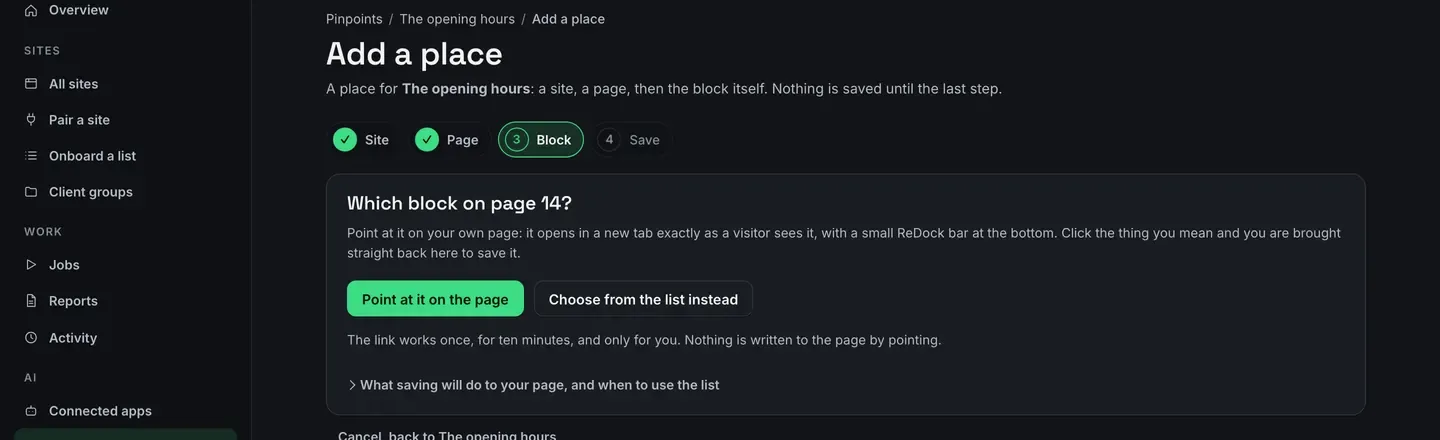
Point at it on the page opens the page on the site in a new tab, exactly as a visitor sees it, with a small ReDock bar across the bottom. Click the block, or the Elementor element, and you are brought straight back here to save it. Nothing on the page is edited by the click.
The pointing link works once, lasts ten minutes, and is yours alone.
Choose from the list instead shows every block on the page, in order, if you would rather pick from a list than click.
Why it keeps working
Section titled “Why it keeps working”On a Gutenberg page, ReDock writes a name onto the block itself using WordPress’s own HTML anchor, the one under Advanced → HTML anchor. Reword the paragraph, restyle the section, insert three blocks above it: the anchor moves with the block, so the address still resolves.
Elementor elements already carry their own persistent id, so those are used as they are.
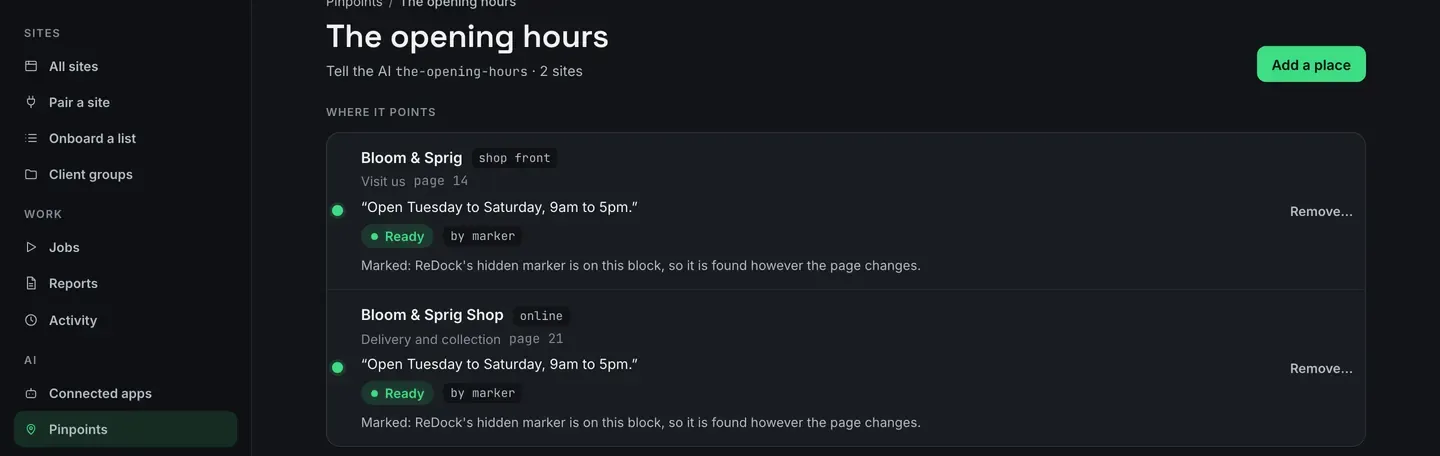
There is no guessing by description. A grid of cards is meant to look alike, so a place either carries the mark or it refuses, and the refusal names the site and the pinpoint. A pinpoint that quietly resolved to the wrong block would be worse than one that refuses.
A block that cannot carry a mark says so before you save, not after.
The note
Section titled “The note”The note is yours, word for word: what must not change, who owns it, when it is safe to touch. At most 2048 bytes, stored and handed over exactly as you write it, never shortened and never rewritten.
Say what must not change rather than steps. A pinpoint says where and why; the AI works out how to make the change each time.
When a place goes
Section titled “When a place goes”A pinpoint that lost its last place, usually because a site was disconnected, says so on its own row and at the top of the list. It points nowhere until a place is added, and the AI is told that when it asks.
Deleting a pinpoint removes the name and every place it holds. Nothing on any site changes: a pinpoint has never edited anything.