
What ReDock Web is
ReDock is two products. The desktop app runs sites on your own computer. ReDock Web, at app.redock.xyz, runs the live WordPress sites you host. It needs a browser and nothing else.
The three words this site uses
Section titled “The three words this site uses”| Word | What it means |
|---|---|
| Workspace | Your sites and the people who work on them. Everything else lives inside one. |
| Connected site | A live WordPress site you host, paired to a workspace through the ReDock Connect plugin. |
| Client group | The customer a site belongs to. Sites are filed under one, and reports are written for one. |
Get an account
Section titled “Get an account”-
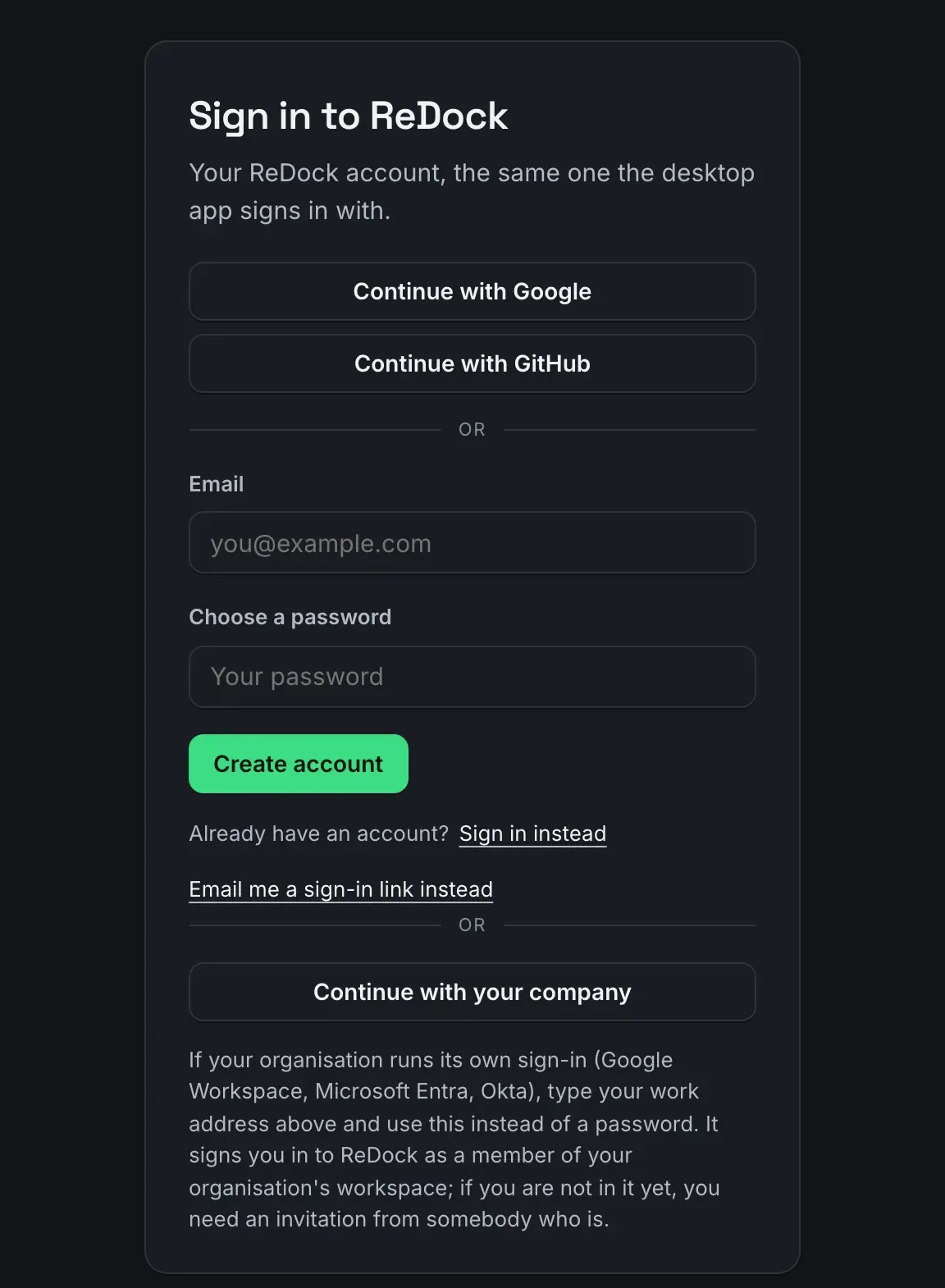
Open app.redock.xyz/sign-up. Continue with Google or GitHub, or type an email address and a password. If your organisation runs its own sign-in, type your work address and use Continue with your company instead of a password.
-
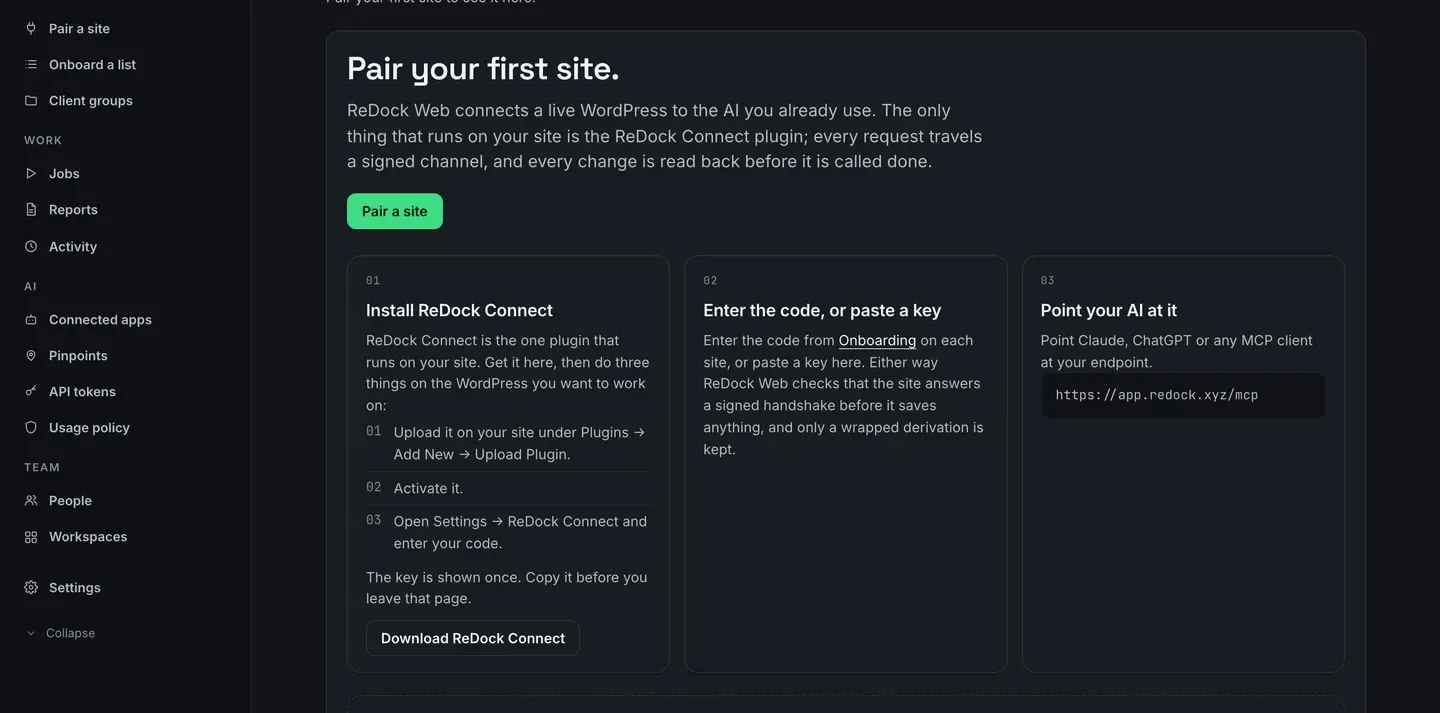
You land on Overview, inside a workspace of your own with nothing in it yet. The card in the middle is the whole first day: install ReDock Connect, enter a code or paste a key, then point your AI at the address underneath.
-
Pair the first site. Connect a site is the whole of that, one site or a hundred.
What you get once a site is on the list
Section titled “What you get once a site is on the list”- Every site gets a page: system, theme, plugins, users, the clients connected to it, AI access, activity, and a Security tab, read from the site when you open it. See The site page.
- Jobs run one piece of work across many sites at once, and each site reports its own result.
- Every plugin update takes a snapshot first, and one press puts the old version back. See Roll a plugin back.
- Monitoring watches each site from outside and gives you a list of reasons rather than a score out of a hundred.
- A monthly report per client group or per workspace, as a print view, CSV or JSON, and in your own name if you want that.
- One MCP door so Claude, Claude Code, Cursor or any MCP client can work on the sites, under rules you set.
One connected site is free. Plans, trials and billing has the rest.
The Overview page, once there is something to see
Section titled “The Overview page, once there is something to see”The four figures across the top are today: how many sites are healthy, how many jobs are running, how many calls the AI made, how many updates are waiting. Underneath, Needs attention is the work, and the queue is what is happening now.
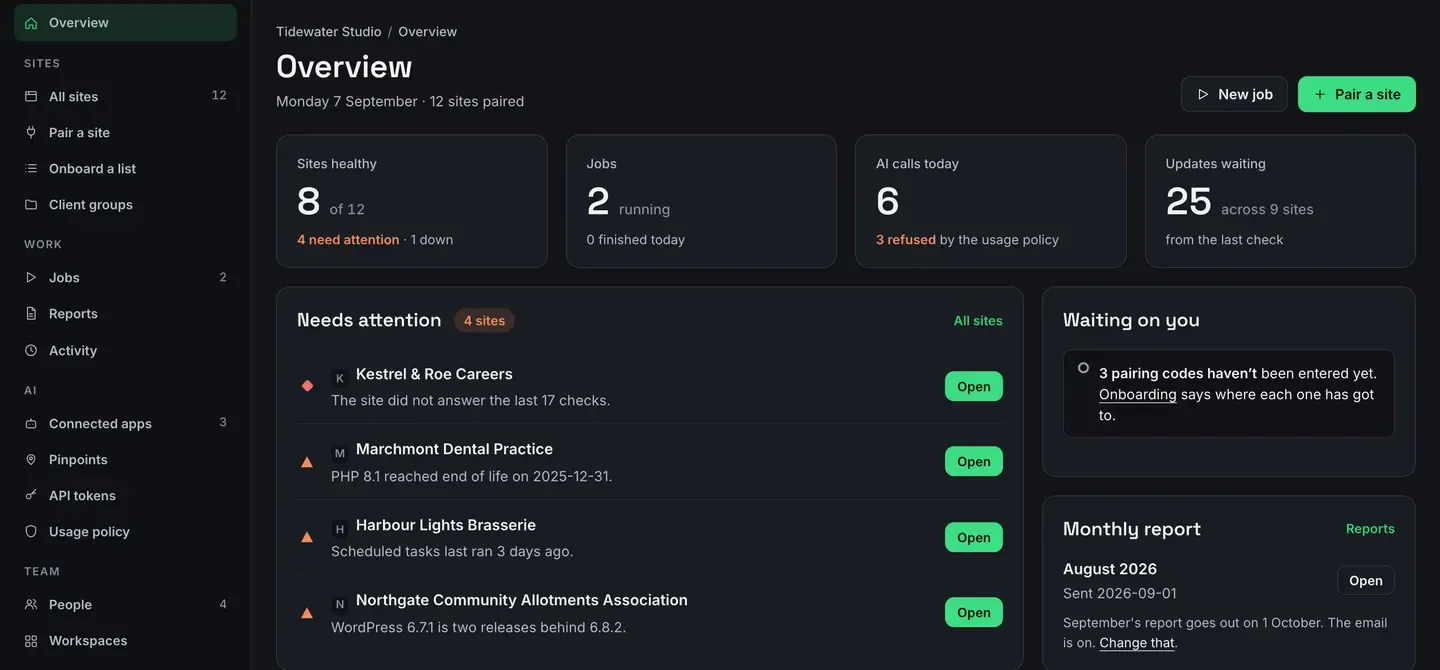
Everything on this page is a link into the page that fixes it.